GDI51 Indoor gateway userguide
Document version: 2.02
1. Product Introduction
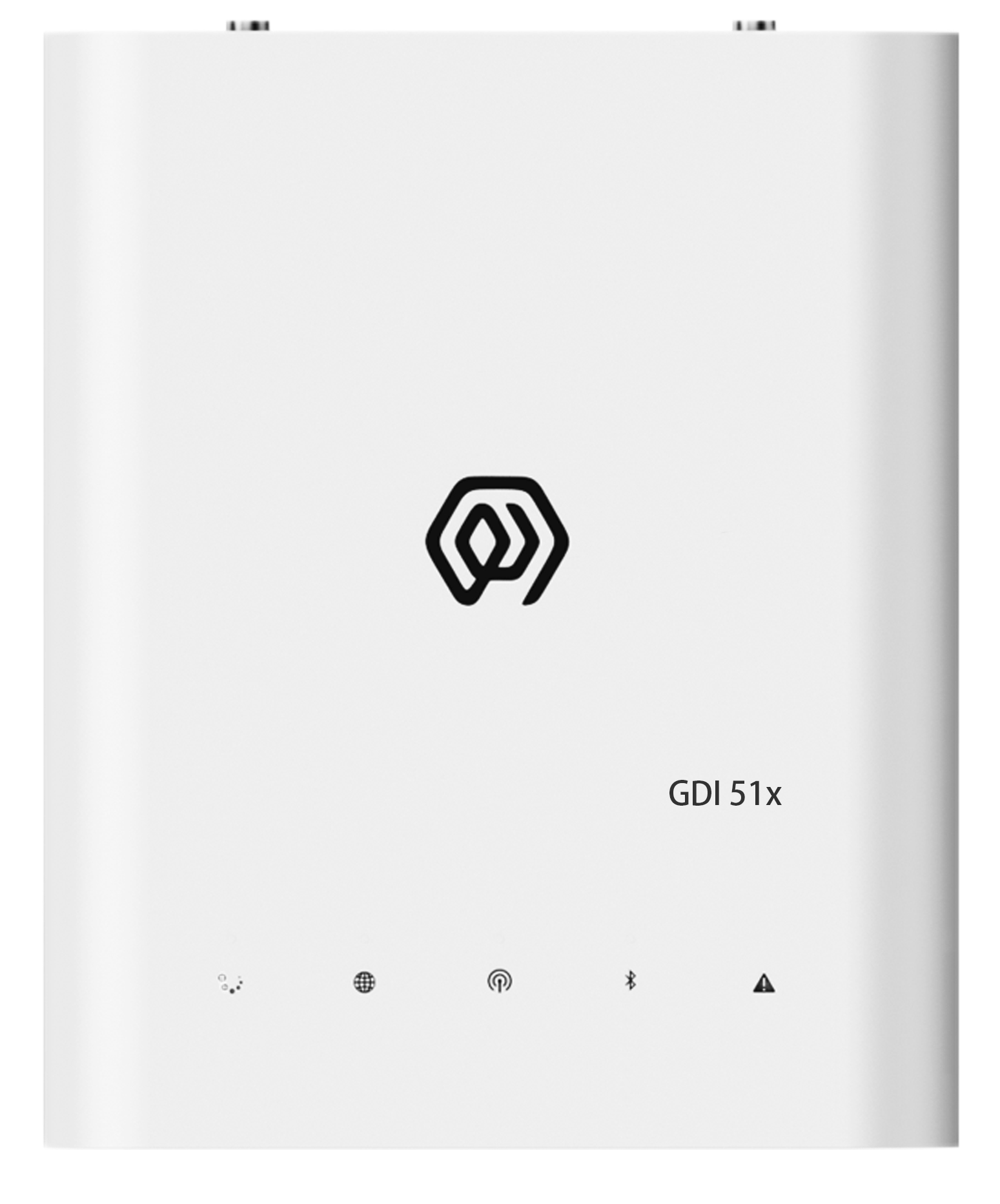
2. Product Introduction
GDI51 is an indoor gateway designed by ManThink based on SX1302 for LoRaWAN system. It can efficiently process large amounts of data to ensure the stability and reliability of communication. It is suitable for indoor environments such as parks, buildings, and buildings. With its powerful processing capabilities and flexible configuration functions, it provides users with an ideal Internet of Things solution.
3. Product Features
- Supports built-in TKL (including LoRaWAN NS and IoT platform)
- Supports historical data storage
- Supports Thing Model
- Supports Dashboard
- Supports PoE and Type-C power supply
- Supports 4G, Wi-Fi, and Ethernet connectivity
- Supports ThinkLink, ChirpStack, TTN, and LoRaWAN NS compatible with Basic Station/GWMP protocol
- 8 frequency points (BW = 125 kHz)
- 16 demodulators capable of processing 16 packets concurrently (8 × SF5-SF12 LoRa® demodulators, 8 × SF5-SF10 LoRa® demodulators)
- 65 channels (different configurations of SF, BW, and frequency points count as separate channels; BW = 125 kHz, totaling 65 channels)
- Transmit power: suffix
-2, 22 dBm maximum - Receive sensitivity: -141 dBm (SF=12, BW=125 kHz)
- Supports LoRaWAN standards: US902, AU915, AS923, EU868, EU433, CN470
- Supports remote maintenance and firmware upgrades
- Visual and user-friendly web-based configuration
4. Parameters
| Category | Parameter | Specification |
|---|---|---|
| § Compute and storage | ||
| SOC | LS1012A 64-bit ARM Cortex-A53 800MHz 2W | |
| Memory type/rate | Support DDR3L 1066 MHz | |
| Memory capacity | Memory:512MB | |
| Storage | ≥ 16 GB eMMC | |
| § Software | ||
| Platform | Built-in NS and IoT platform (with integrated TKL) | |
| Protocol/platform support | ThinkLink, ChirpStack, TTN, Basic Station, and GWMP protocols | |
| Databases | PostgreSQL and Redis | |
| Historical data | historical data storage | |
| Leaf mode | Leaf mode | |
| Thing Model | Thing Model | |
| Application data parsing | application data parsing | |
| Visualization | Dashboard | |
| § LoRa | ||
| Operating frequency bands | CN470: 470–510 MHz EU868: 863–870 MHz EU433: 433–434 MHz AS923: 920–928 MHz US902: 902–928 MHz AU915: 915–928 MHz | |
| Communication rate | 292bps to 15.625kbps | |
| Spreading factors | supports SF5 to SF12 | |
| Transmit power | Suffix -2: 22 dBm maximum | |
| Receiver sensitivity | -141 dBm (SF = 12, BW = 125 kHz) | |
| Antenna type | Omnidirectional | |
| Frequency points | 8 (BW = 125 kHz) | |
| Demodulators | 16 | |
| Concurrent packets | 16 packets simultaneously | |
| Demodulator composition | 8 × SF5-SF12 LoRa® demodulators; 8 × SF5-SF10 LoRa® demodulators | |
| Channels | 65 | |
| Channel definition/note | each channel is defined by a unique combination of SF, BW, and frequency point; BW = 125 kHz, totaling 65 channels | |
| Operating mode | Half-duplex | |
| Single-channel bandwidth | 125KHz or higher | |
| § Network and backhaul | ||
| Ethernet | 1000M/100M | |
| 4G uplink | The Gateway uses 4G uplink by default, CAT1 module | |
| LTE-FDD bands | B1/3/5/8 | |
| LTE-TDD bands | B34/38/39/40/41 | |
| 4G deployment note | If the frequency band used by the planned regional operator is not in the above frequency band, please contact the technical personnel of ManThink to replace the applicable 4G module. | |
| § Ports and timing | ||
| USB Type-C configuration | USB-TypeC | |
| Ethernet configuration | Ethernet | |
| Wi-Fi configuration | WiFi | |
| § Power | ||
| PoE power | POE(48V) | |
| USB power | USB TYPE-C(5V) | |
| Power consumption | 5W | |
| § Environment and enclosure | ||
| Working temperature | -20 ℃ ~ 65 ℃ | |
| Working humidity | 0% ~ 95% RH | |
| Waterproof and dustproof | IP53 | |
| Weight | 0.3kg | |
| Dimensions | 151mm x 125mm x 30mm | |
| Installation method | wall mounting or free placement |
5. Accessories List
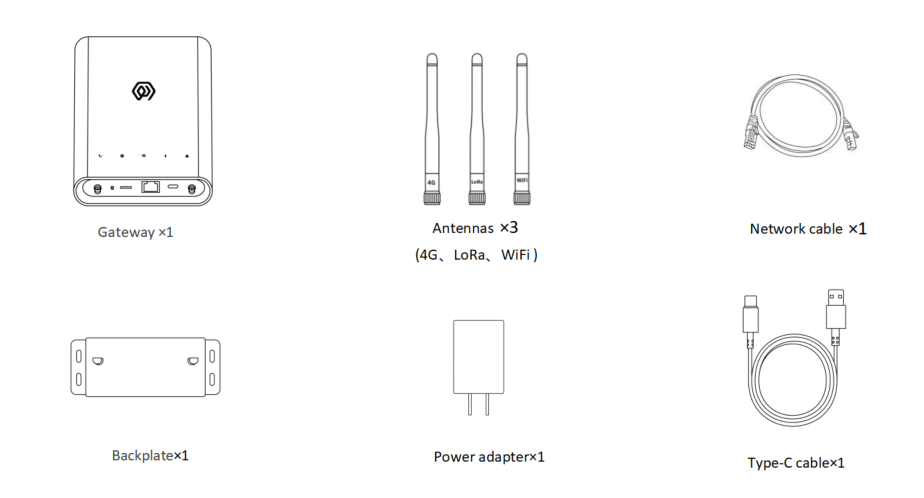
Note: The Indoor Gateway GDI51x does not support GPS by default. If you need GPS function, please contact the technical personnel of ManThink
6. Product size
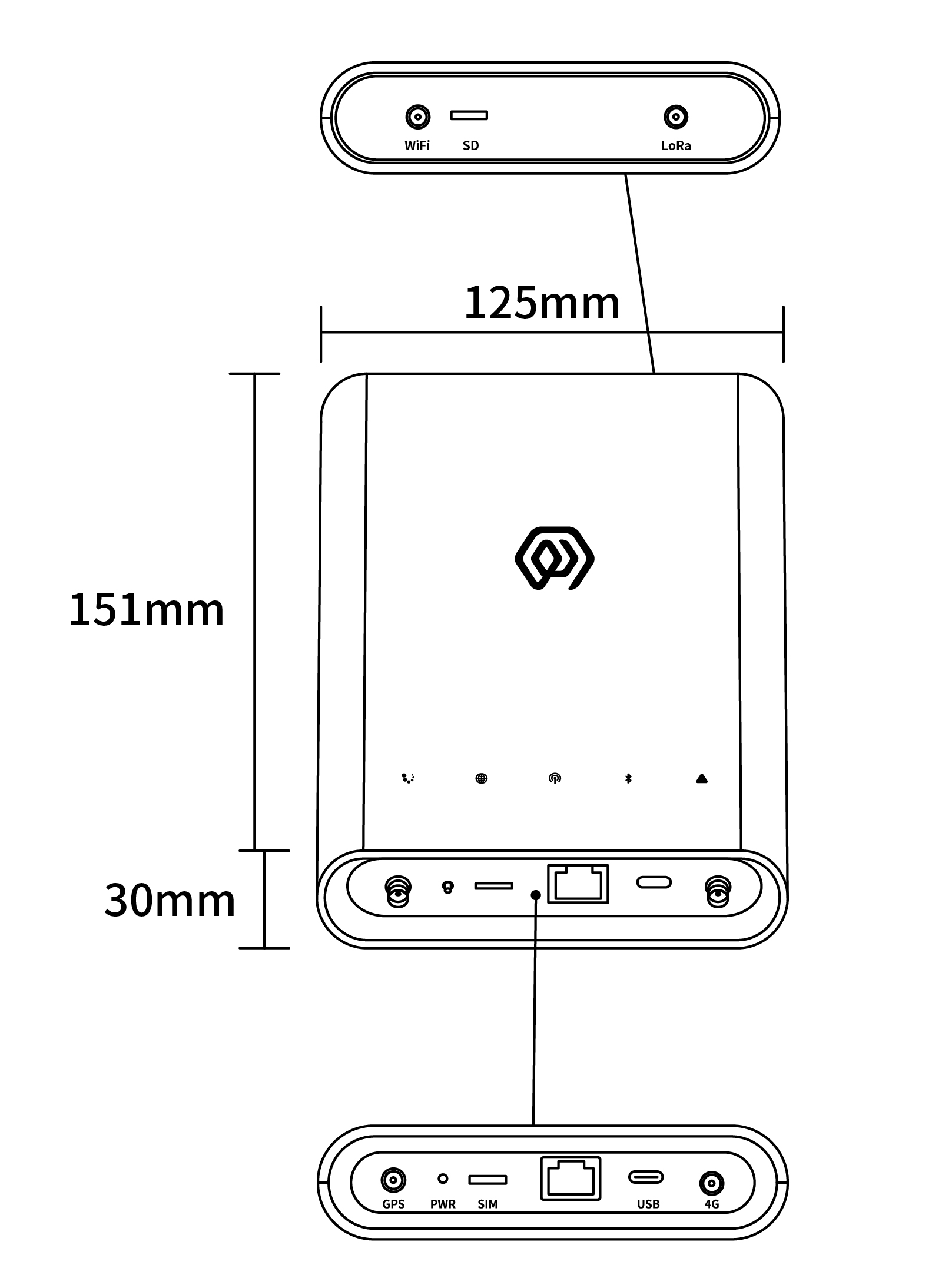
7. Interface Description
| Interface Name | Description |
|---|---|
| WiFi | WIFI antenna interface |
| SD | Memory card slot |
| LoRa | LoRa Antenna interface |
| GPS | GPS antenna interface |
| PWR | Reset key |
| SIM | SIM card slot |
| RJ45 | Network cable interface (POE power supply) |
| USB | Type-C interface |
| 4G | 4G Antenna Interface |
8. Indicator Description
| Indicator | Color / network | Light states and meanings |
|---|---|---|
Running indicator  | — | Steady on: The system is starting. Off: Basic system startup is complete and application processes are starting. Flashing at 1 Hz: The system is running normally. |
Network indicator  | Green/wired network Blue/4G network | Green, flashing at 1 Hz: The wired network connection is normal. Green, flashing every 500 ms: The wired network connection is abnormal. Green, flashing rapidly: Network configuration is in progress. Blue, off: No 4G module is installed. Blue, steady on: A 4G module is installed, but no SIM card is inserted. Blue, flashing irregularly: Data is being exchanged over the 4G network. |
LoRa data transceiver indicator  | Green Blue | Green, flashing: A LoRa data packet is being transmitted. Blue, flashing: A LoRa data packet is being received. |
LAN status light  | Red Blue | Red: System control status. Blue: Wi-Fi connection status. |
Fault indicator  | — | Flashing rapidly: The system is in the second startup phase. Off: No system fault is present. Flashing: The system has detected a fault. |
9. Product Model
9.1 Model example
GDI518-AG-AS923-N-2
9.2 Model component breakdown
GDI518: product series and RF band.GDI51identifies a fifth-generation indoor LoRaWAN gateway.8identifies the 800 MHz-and-above RF version for EU868, AS923, AU915 and US902.- Other band option:
4identifies the 400 MHz RF version for EU433 and CN470.
-AG: LoRa architecture and 4G configuration.Aidentifies one LoRa antenna, 8 frequency points, 65 channels and half-duplex operation.- Other LoRa architecture option:
Didentifies two LoRa antennas, 16 frequency points, 130 channels and full-duplex operation. Gidentifies an integrated 4G module.- Other 4G option:
Nidentifies a configuration without a 4G module.
-AS923: LoRaWAN regional standard.AS923means that the gateway supports the LoRaWAN AS923 regional parameters.- Other regional codes are
CN470,EU433,EU868,AU915andUS902;US902denotes the LoRaWAN US915 (902–928 MHz) regional parameters.
-N: default version.Nidentifies the default version.- Other values are reserved for customized or special versions.
-2: transmit-power version.2identifies a maximum transmit power of 22 dBm.
9.3 Complete model meaning
The complete meaning of GDI518-AG-AS923-N-2 is:
This is a fifth-generation indoor LoRaWAN gateway in the 800 MHz-and-above RF class. It uses one LoRa antenna, 8 frequency points, 65 channels and half-duplex operation, includes a 4G module, supports the LoRaWAN AS923 regional standard, uses the default version code N, and has a maximum transmit power of 22 dBm.
10. Gateway Installation
Note:
- The gateway shell does not need to be disassembled for installation
- Te Indoor Gateway GDI51x does not support GPS by default. If you need GPS, please contact the technical personnel of ManThink.
11. Accessories connection
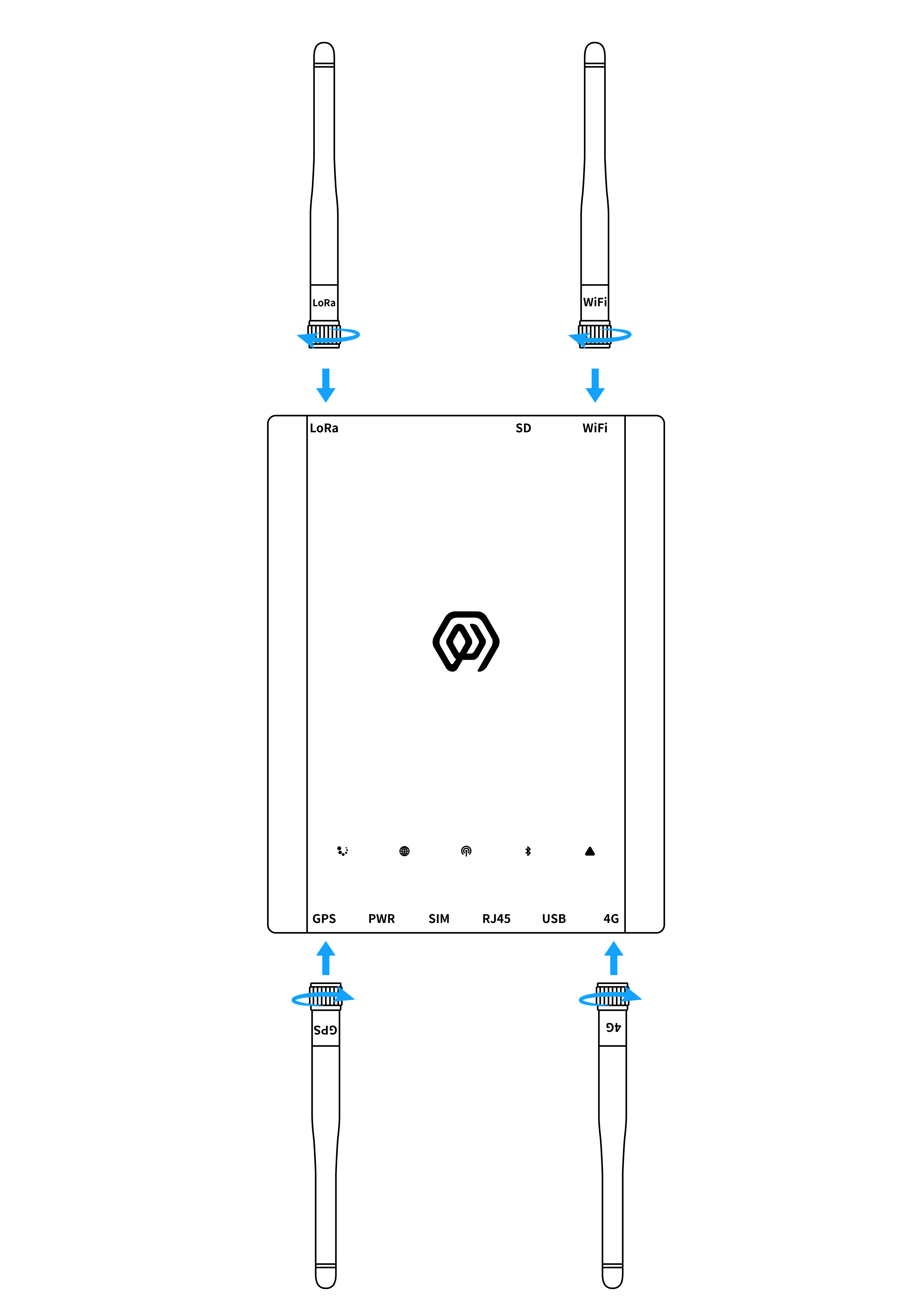
11.1 Antenna connection
- Will respectively the LoRa, WiFi, GPS and 4G antennas are tightened to the corresponding interfaces.
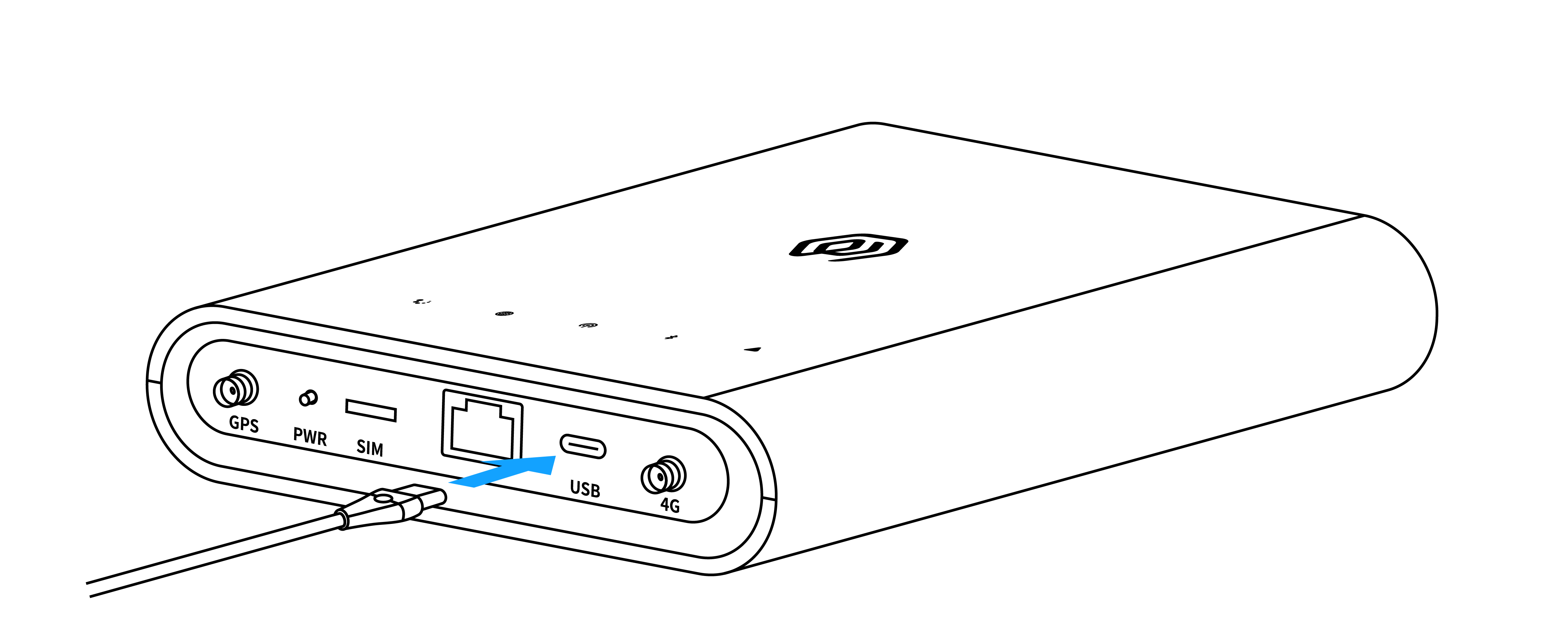
11.2 Type-C power cord connection
- When using POE power supply mode, the power cord does not need to be connected
- Will Type-C power cord connect to the Gateway USB interface ( Type-C interface)
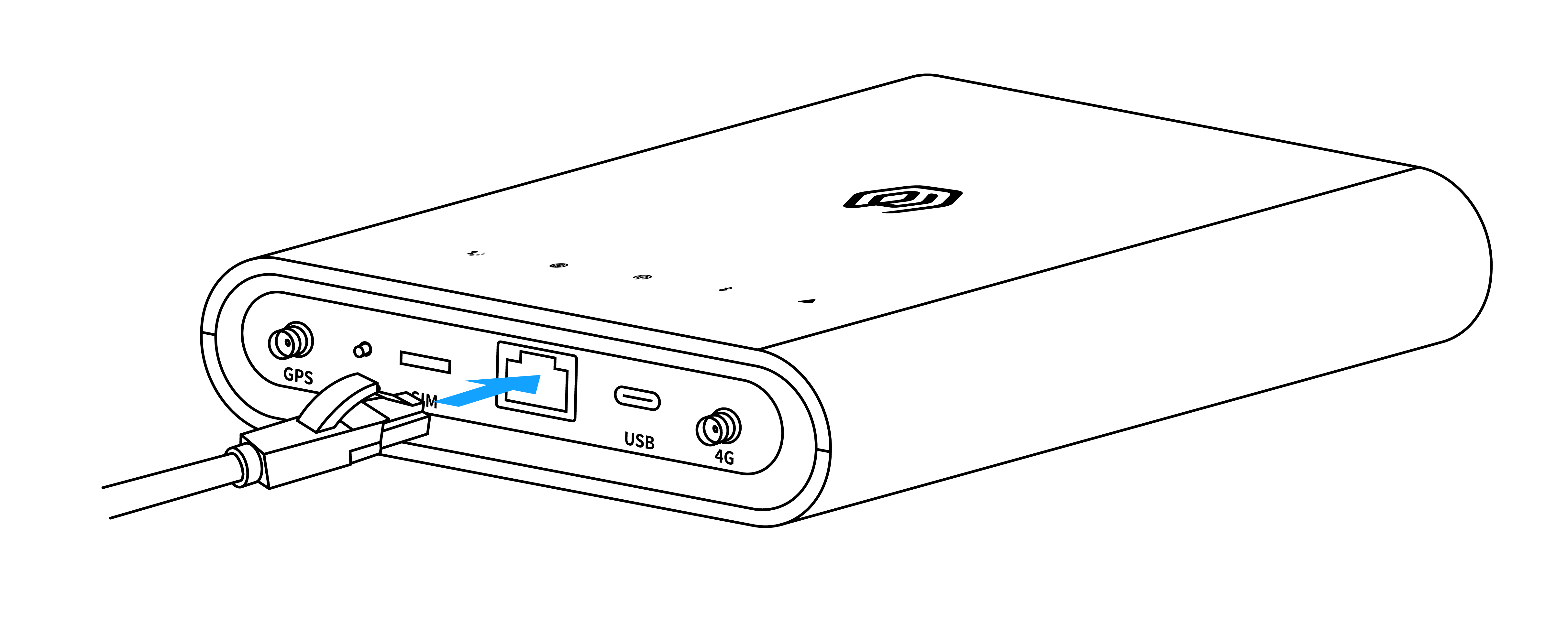
11.3 Network cable connection
- Connect the network cable to the Gateway RJ45 interface
- This interface can accept POE power supply
11.4 SIM card installation
- No need to insert a SIM card when connecting the network cable.
- Insert the SIM card into the gateway SIM interface.
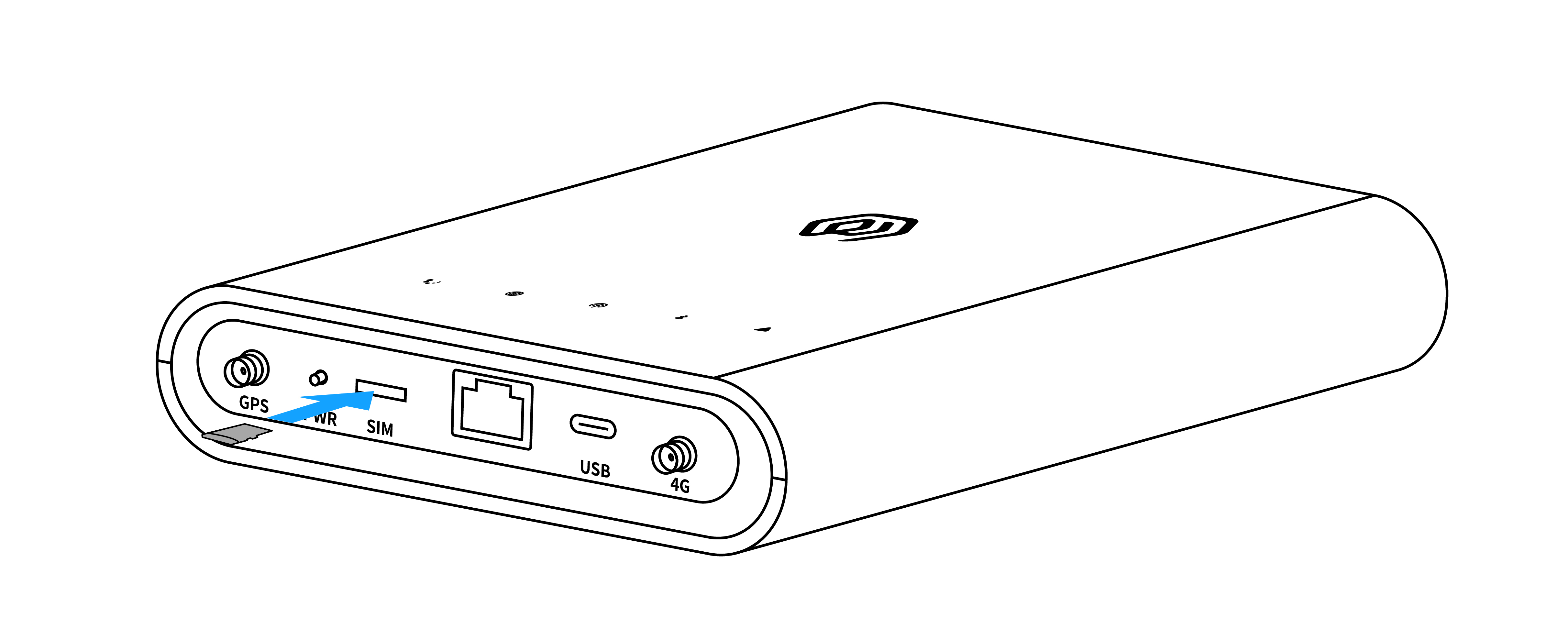
Note: The correct orientation for inserting the SIM card is as shown in the figure below: chip facing downward, with the notch in the upper-left corner.

12. Gateway Installation
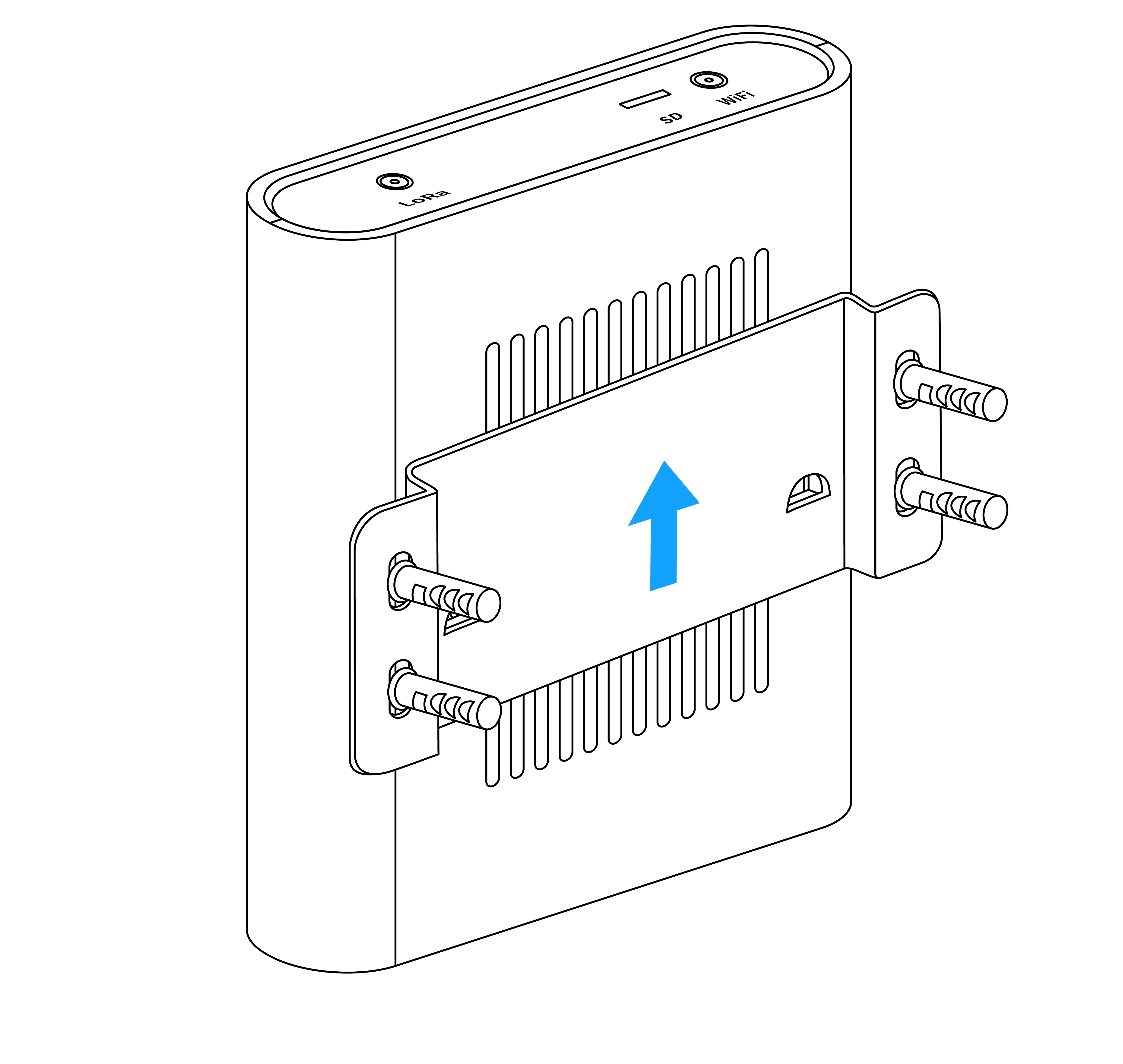
12.1 Wall-mounted fixed
- Screw the Gateway backboard to the wall
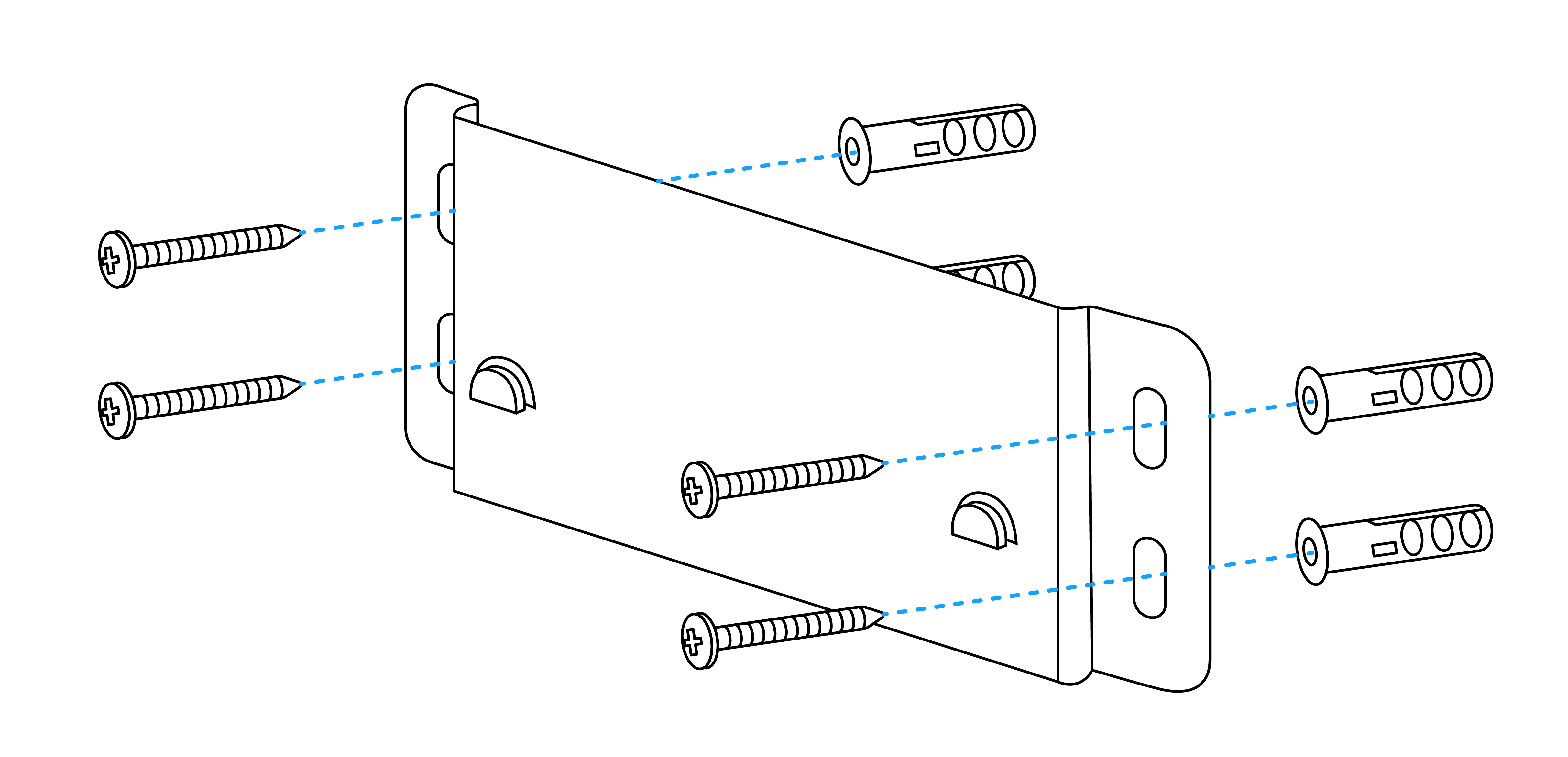
- Mount the gateway back hanging slot on the backboard
13. Gateway Configuration
gwTool7 Gateway Administrator Manual
14. Using ThinkLink
\ThinkLink User Guide
15. Connecting to Chirp Stack
Connect to ChirpStack with Basic Station (gwTool7)
16. Connecting to TTN
Connect to TTN with Basic Station (gwTool7)
Legacy WebServer (old batches only)
Old GDI51 batches use the legacy WebServer. Connect to the gateway Wi-Fi and open http://192.158.1.1; if the login page displays Welcome to Your WebConfigure, use these historical guides:
17. Contact Us
Website: www.manthink.cn
Email: info@manthink.cn
Tel: +86 15810684257