Broker
Advanced → Broker manages the MQTT broker connections that ThinkLink uses as message transport. A broker record defines where to connect (host, port, TLS certificates) and optionally a username/password. Forwarder rules then reference brokers as their source or target.
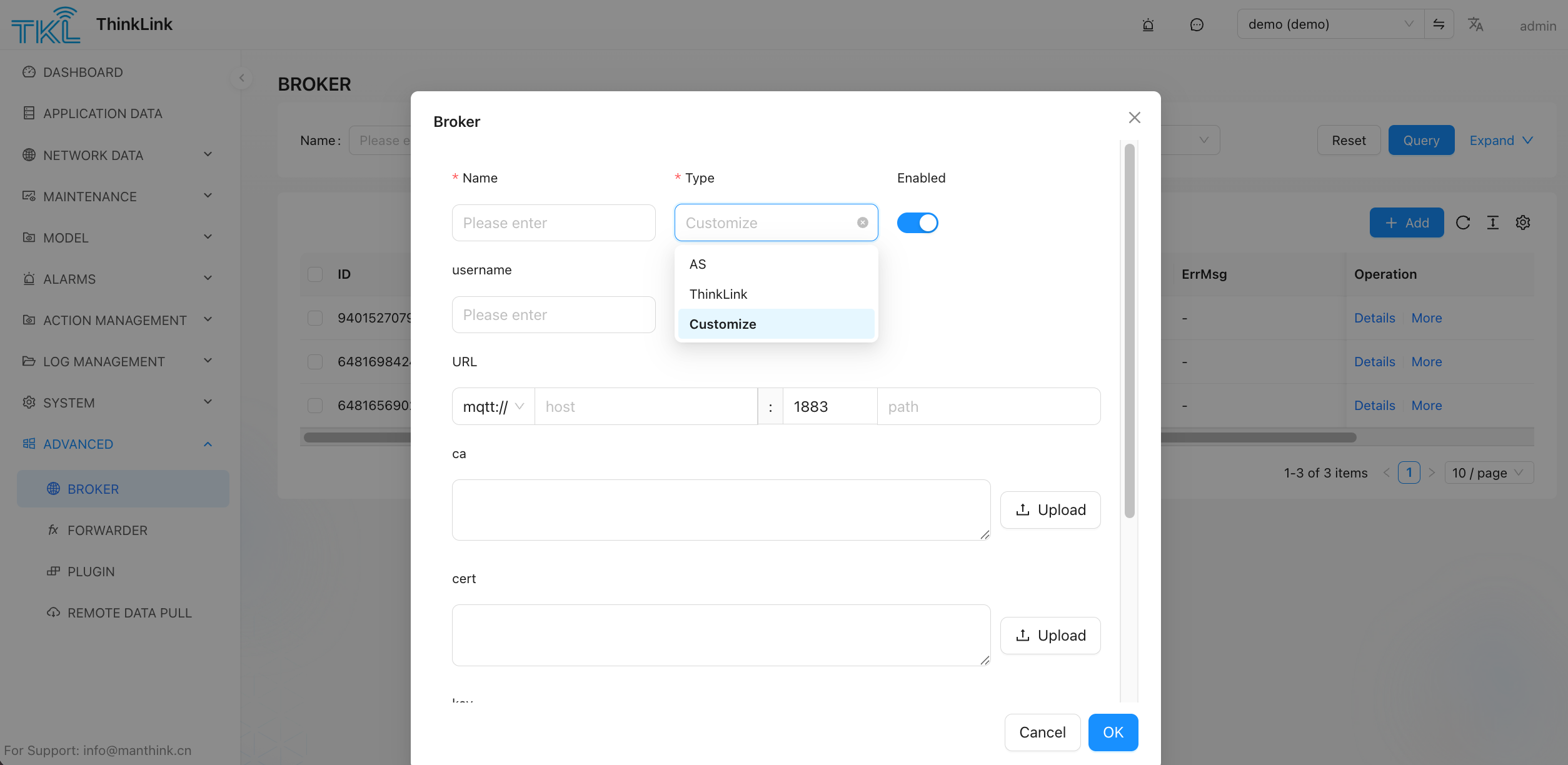
Broker Types
| Type | Description |
|---|---|
| AS | The built-in ThinkLink Application Server MQTT broker |
| ThinkLink | Another ThinkLink deployment's broker (inter-instance bridging) |
| Customize | Any third-party MQTT broker — fill in host, port, credentials, and TLS certs manually |
Configuration Fields
| Field | Description |
|---|---|
| Name | Identifier for this broker record, referenced by Forwarder rules |
| Type | AS / ThinkLink / Customize — determines which extra fields appear |
| Enabled | Toggle to activate or suspend this broker connection without deleting it |
| username | MQTT username (optional, depends on broker auth config) |
| URL | mqtt:// or mqtts:// — host, port (default 1883), and optional path |
| ca | CA certificate for TLS verification (upload a .pem / .crt file) |
| cert | Client certificate for mutual TLS authentication |
Actions
| Button | Effect |
|---|---|
+ Add | Open the Broker dialog to create a new broker record |
Details (row) | View and edit an existing broker's configuration |
More (row) | Additional row-level actions (e.g. delete) |
Column Reference
| Column | Meaning |
|---|---|
| ID | Broker record ID |
| ErrMsg | Last connection error message, if any; blank when the connection is healthy |
| Operation | Row-level actions: Details / More |
Related Pages
- Using brokers in message routing rules → Forwarder