Notification Groups
Notification Groups are reusable channel configurations — WeCom, DingTalk, Email, and others — that alarm and notification actions in RPC and trigger scripts can dispatch to by name. Configure a group once and reference it from any script across the organization.
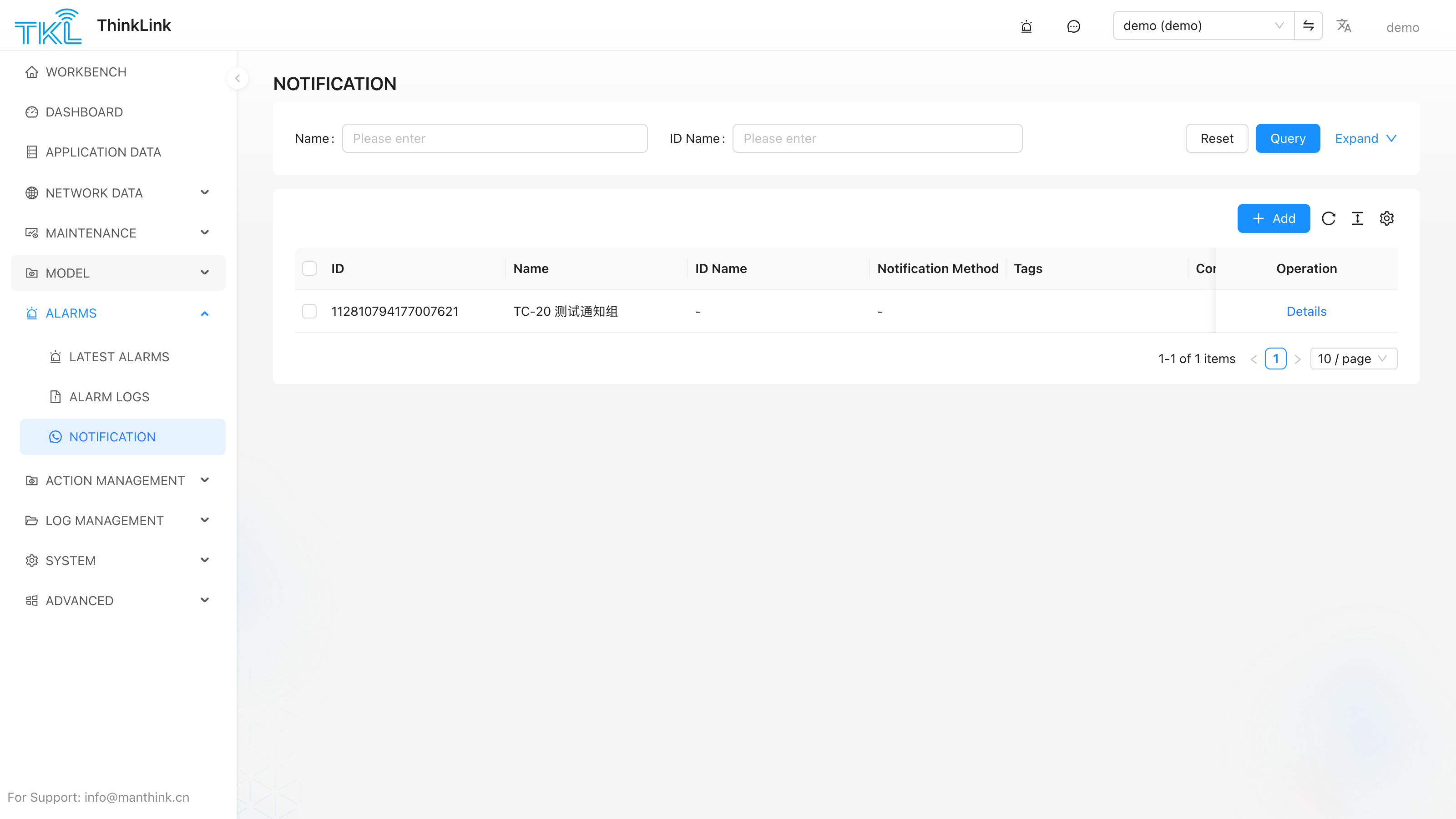
Configuration
Go to System Management → Notification Groups to create and manage groups.
| Field | Description |
|---|---|
| Name | Unique identifier used in scripts, e.g. WeCom_ops, alarm_email. Scripts reference this name in the notice_groups array. Case-sensitive. |
| Channel | Notification channel: WeCom, DingTalk, Email, Slack, Telegram, etc. |
| Channel Settings | Channel-specific parameters such as webhook URL, recipient addresses, or SMTP configuration. |
After saving, the group name is immediately available in any RPC or trigger script in the organization.
How Scripts Reference Notification Groups
type: "alarm" — Create an alarm AND notify
Use this when you need a record in the ThinkLink alarm center AND want to push a notification.
return [{
    type: "alarm",
    params: {
        id: "over_temp_01",          // unique alarm identifier
        level: "high",               // low | mid | high | urgent
        title: "Temperature too high",
        desc: `Current: ${device.telemetry_data.temperature}°C`,
        notice_groups: ["WeCom_ops", "alarm_email"]
    }
}];
Pair every alarm with a matching clear action so the alarm closes when the condition resolves:
return [{
    type: "alarm",
    params: { id: "over_temp_01", type: "clear" }
}];
type: "notify" — Send a message only (no alarm record)
Use this for reminders, daily reports, or third-party callback receipts where no alarm record is needed.
return [{
    type: "notify",
    params: {
        title: "Daily report",
        desc: "All devices online.",
        notice_groups: ["WeCom_ops"]
    }
}];
Comparison
| Aspect | alarm | notify |
|---|---|---|
| Creates alarm record | ✅ | ❌ |
Dispatches to notice_groups | ✅ | ✅ |
Requires paired clear action | ✅ | ❌ |
De-duplication (same id) | ✅ | ❌ |
💡 Need both "keep a record" and "push a message"? Use
type: "alarm". Need "push only, no record"? Usetype: "notify". Both share the same notice-group dispatch path.
Storing Notice Groups on the Device
A common pattern for device-specific notification routing: store the list of group names in the device's server attributes under the key notify. Scripts then read it at runtime rather than hard-coding group names.
Set on the device detail page (Server Attributes):
Key: notify
Value: ["WeCom_ops", "alarm_email"]
Read in an RPC or trigger script:
// Direct read
let notify = params?.notify ?? [];   // params.notify = device.server_attrs.notify (flat array)

// TriggerHelper does this automatically:
// this.group = device.server_attrs.notify
// Just pass it to notice_groups:
return [{
    type: "alarm",
    params: {
        id: "over_temp",
        notice_groups: notify,
        ...
    }
}];
TriggerHelper (from tklHelper) reads device.server_attrs.notify automatically and stores it as this.group. You do not need to extract it manually when extending TriggerHelper.
Message Format by Channel
The format of the desc field depends on the channel type of the receiving group:
| Channel | Rendering | Recommended desc format |
|---|---|---|
| WeCom | Markdown | Use **bold**, \n line breaks, emoji |
| DingTalk | Markdown | Same as WeCom |
| HTML / plain text | HTML supported; keep the body concise | |
| Slack / Telegram | Plain text | Markdown may vary by client |
If a single action lists groups of different channel types, the same
descis rendered by each channel's own rules. For clean output on every channel, split into onetype: "notify"per channel, each with a channel-appropriatedesc.
Example: split notify by channel
return [
    {   // WeCom — Markdown format
        type: "notify",
        params: {
            title: "Alarm cleared",
            desc: "**Device:** " + device.name + "\n**Status:** recovered",
            notice_groups: ["WeCom_ops"]
        }
    },
    {   // Email — plain text
        type: "notify",
        params: {
            title: "Alarm cleared",
            desc: "Device: " + device.name + " has recovered.",
            notice_groups: ["alarm_email"]
        }
    }
];