System Platform Overview
The System Platform is the administrator-only area of a ThinkLink deployment, separate from the tenant-facing UI. It is for operations admins who maintain cross-tenant built-in resources and deployment-level infrastructure (upgrades, branding, data sync) — not for managing any specific tenant's business.
Who Can See It, and Where
- Only the
adminaccount (account type SYSADMIN) has access after login. Ordinary tenant accounts cannot reach this entry. - Only available on TKG (gateway edition) / TKE (standalone edition) / Docker standalone deployments of ThinkLink. Regular users on the SaaS multi-tenant public service do not have access.
- Entry point: the switch icon
⇆next to theadminavatar in the top-right corner after login. You can also navigate to/systemdirectly.
Top-Level Menus
| Menu | Purpose |
|---|---|
| Model Management | Cross-tenant view of thing models / RPC models / trigger models / device templates; promote tenant models into PUBLIC system models |
| Package Management | Manage firmware packages for managed devices; currently only "Gateway Upgrade Package" |
| Advanced | System-level plugin management; sync built-in resources from an upstream ThinkLink (Remote Data Pull) |
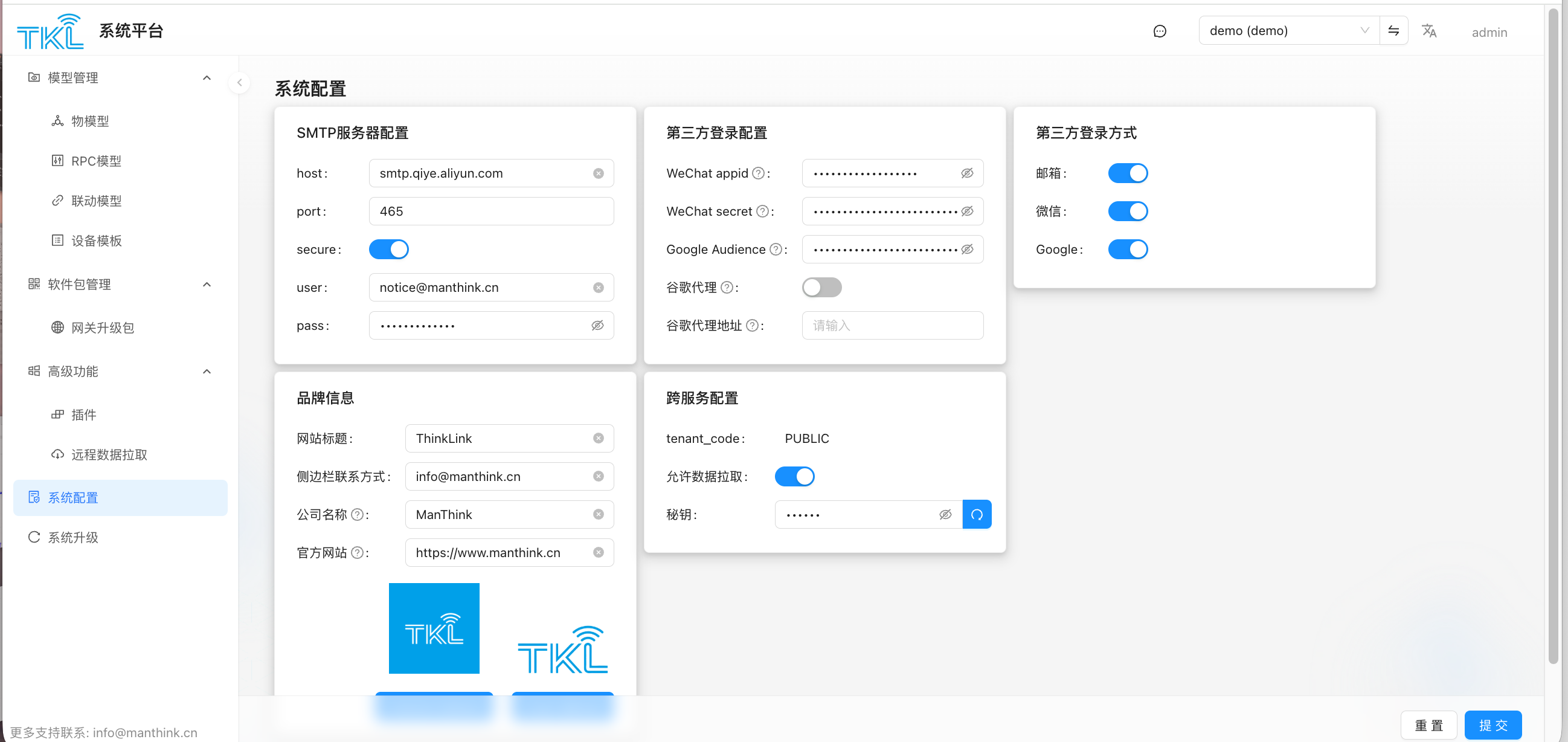
| System Config | SMTP, third-party login, brand info (used for white-labeling standalone deployments), network-service secret |
| System Upgrade | Upgrade ThinkLink itself (TKG vs TKE packages are distinct) |
Key Differences vs. the Tenant Side
- Different scope of vision: model / plugin pages show data from all tenants, with a
tenant_codecolumn. The tenant side only sees its own data. - Can change tenant ownership: an admin can "promote" a tenant's thing model / RPC / trigger / device template to PUBLIC, making it available to every tenant. The reverse is not allowed (a PUBLIC model cannot be demoted back to a tenant).
- Manages the deployment itself: system upgrade, brand logos, SMTP, etc. apply to the whole deployment and affect all tenants.
- Data sync: Remote Data Pull syncs PUBLIC resources from another ThinkLink deployment (typically a central master), so distributed gateways/TKE nodes share a unified built-in model library.
Next Steps
- Promote tenant models to system defaults → Model Management
- Let tenants upgrade their gateways → Gateway Upgrade Package
- Maintain system-level plugins → Plugin
- Sync built-in resources from upstream → Remote Data Pull
- Change logo, SMTP, third-party login, enable pull secret → System Config
- Upgrade ThinkLink itself → System Upgrade