Trigger Model
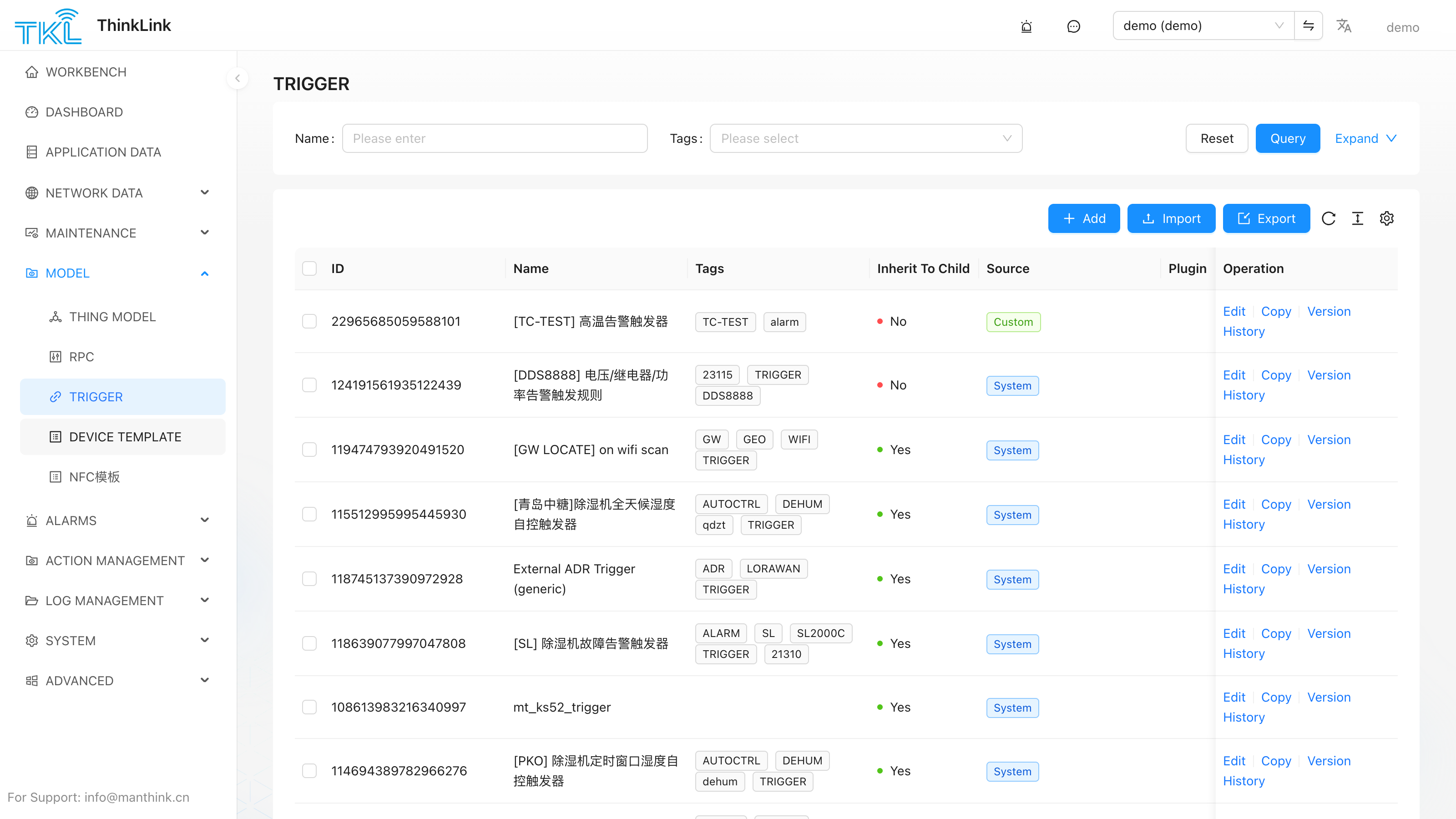
The trigger model is used to automatically invoke RPC commands after device data is processed, enabling automated control between devices. For example: when an ambient temperature change is detected, the target set temperature of an air conditioner is automatically adjusted.
Trigger logic is implemented through JavaScript scripts. Once a device is bound to a trigger model, the script runs every time a new uplink arrives. The script can call RPC commands on any target device (including itself) to perform remote control or parameter updates.
1.1. Script Runtime Environment
Trigger scripts are written as bare function bodies: your code is wrapped by the platform inside function triggerRunner() { ... } and immediately invoked, so you do not need to write your own function trigger_script(...) {...} wrapper. The script returns its result via return.
// Type just this body into the script editor — no outer function needed
let tdata = device?.telemetry_data?.[thingModelId];
if (!tdata) return null;

return {
  actions: [
    { method: "alarm", params: { _eui: device.eui, action: "new", title: "...", level: "high" } }
  ]
};
Sandbox Environment & Constraints
The trigger script runs inside a vm2 sandbox, fully isolated from the Node.js host process.
Runtime limits
| Constraint | Value | Details |
|---|---|---|
| Execution timeout | 1000 ms | The script is killed after 1 second; the trigger fires no actions for this cycle. |
eval | ❌ Disabled | Dynamic code execution via eval is blocked. |
| WebAssembly | ❌ Disabled | Loading or executing .wasm modules is blocked. |
async / await | ❌ Not supported | Trigger scripts are synchronous; asynchronous operations are not available. |
require / import | ❌ Not supported | No external modules can be imported. |
process, path, fs, etc. | ❌ Not available | These Node.js globals are not injected; referencing them throws ReferenceError. |
setTimeout / setInterval | ❌ Not available | Timer globals are absent. To delay execution, use the delayms field in the return value. |
console | ❌ Not available | Use the built-in Trigger Model log feature for debugging instead. |
Buffer method restrictions
The sandbox injects a restricted Buffer object (SafeBuffer). Only the following static methods are available: alloc, from, isBuffer, byteLength, compare, concat. Buffer.allocUnsafe() and Buffer.allocUnsafeSlow() are explicitly blocked. Instance read/write methods (readUInt8, writeUInt16LE, etc.) work normally.
All available sandbox globals
The following names are available directly — no import required:
| Name | Type | Description |
|---|---|---|
device | Object | Current device object (vm.freeze, read-only). |
thingModelId | String | Thing Model ID bound to this device. |
org_params | Object | Organization-level "environment variables" maintained under System Management → Server Configuration → Org Params. See Server Configuration §1.6. |
env | Object | Environment variables from plugins attached to this trigger model (apply_to=ANY or trigger). Advanced feature; most scripts do not need this. |
plugins | Object | Plugin instances attached to this trigger model (same filter rule). Advanced feature; most scripts do not need this. |
Buffer | Class | Restricted SafeBuffer wrapper for binary handling (see above). |
BufferTKL / PayloadParser / MSparser / Utils / TriggerHelper / RPCHelper | Class | All classes exposed by tklHelper (vm.freeze, read-only). See tklHelper. |
Note:
deviceand all tklHelper classes are injected viavm.freeze. Assigning to their properties inside the script will not throw but will have no effect. The only output channel for a trigger script is its return value — the platform dispatches RPC calls based on the returnedactionsarray.
device object properties:
| Property | Type | Description |
|---|---|---|
eui | string | Device EUI (16-char hex, globally unique). |
name | string | Device name. |
device_type | string | Device type: "NORMAL" / "SUB_DEVICE" / "VIRTUAL". |
data_from | string | Data source: "LoRaWAN" or "OTHER" (direct MQTT). |
parent | string | null | Parent device EUI (set for SUB_DEVICE only). |
online | boolean | Whether the device is currently online. |
active_time | string | Timestamp of the last uplink (ISO 8601). |
shared_attrs | object | Attributes synchronized bidirectionally with the device (e.g. config params, firmware info). |
server_attrs | object | Platform-side-only attributes (device cannot read). Used for alarm thresholds, linked EUIs, notification groups, etc. |
mac_attrs | object | LoRaWAN MAC-layer attributes (band, ADR, etc.). Empty for non-LoRaWAN devices. |
telemetry_data | object | Latest telemetry snapshot per Thing Model, keyed by thingModelId. Use device.telemetry_data[thingModelId] to access. |
thing_model | string[] | Mounted Thing Model ID array. |
rpc | string[] | Mounted RPC model ID array. |
tags | string[] | Device tag array, used for filtering and grouping. |
tenant_code | string | Tenant identifier. |
heart_period | number | Heartbeat detection period (seconds). |
Subsequent examples in this document are still written as
function trigger_script(device, thingModelId) { ... }for clarity — that form is illustrative; in the real editor you only fill in the body.
1.2. Return Value Structure
The trigger script must return either null (do nothing) or an object with the following structure:
| Field | Type | Description |
|---|---|---|
delayms | Number | Delay in milliseconds before executing the actions. |
abort_previous_timer | Boolean | If true, any pending delayed action from a previous trigger is cancelled and replaced by this one. |
should_dispatch | Boolean | If true, actions are dispatched even when the data is identical to the previous trigger. Defaults to false (skipped when data is unchanged). |
actions | Array | One or more RPC calls to execute, in array order. |
Each entry in the actions array:
| Field | Type | Description |
|---|---|---|
_eui | String | EUI of the target device that will receive the RPC call. Note: _eui lives inside params, not at the action's top level. |
method | String | The RPC Method name as defined in the RPC Model. |
methodId | String | RPC Model ID — alternative to method. When both are set, methodId wins and dispatchRpcById is used; useful when method names collide across models. |
params | Object | null | Input parameters passed to the RPC script (must include _eui). If the RPC takes no other parameters, leave only _eui. |
1.3. Return Value Examples
Basic control example
function trigger_script(device, thingModelId) {
    let temperature = device?.telemetry_data?.[thingModelId]?.TP;
    if (temperature === undefined) { return null; }

    if (temperature > 25) {
        return {
            delayms: 10000,
            abort_previous_timer: true,
            should_dispatch: true,
            actions: [{
                method: "mt_data_transparent",
                params: {
                    _eui: device.eui,
                    payload: "FE 05 00 00 FF 00 98 35"
                }
            }]
        };
    }
    return null;
}
Alarm trigger example (using ALARM RPC)
function trigger_script(device, thingModelId) {
    const ACTION = { no: "no", new: "new", clear: "clear" };
    const LEVEL  = { low: "low", mid: "mid", high: "high", urgent: "urgent" };

    let tdata  = device?.telemetry_data?.[thingModelId];
    if (tdata === undefined) { return null; }

    let name   = "overheat_alarm";
    let title  = "Overheat: [" + device.name + "]";
    let level  = LEVEL.high;
    let desc   = "";
    let action = ACTION.clear;
    // group is read from server_attrs; it maps to the `notify` field inside the ALARM RPC params
    let group  = device?.server_attrs?.group ?? [];

    if (tdata.temperature !== undefined && tdata.temperature >= device.server_attrs?.alarm_temp) {
        desc   = "[" + device.name + "] temperature exceeded threshold";
        action = ACTION.new;
    }

    return {
        delayms: 0,
        abort_previous_timer: true,
        actions: [{
            method: "alarm",
            params: {
                _eui:   device.eui,
                action: action,
                name:   name,
                title:  title,
                level:  level,
                desc:   desc,
                group:  group  // received as `notify` in the ALARM RPC script — see RPCModel §1.6
            }
        }]
    };
}Note: Ensure the target device is registered on the TKL platform and has the corresponding RPC model mounted. Otherwise, the command cannot be sent.
1.4. Using TriggerHelper
TriggerHelper is a base class provided by tklHelper that simplifies building alarm-based trigger scripts. Instead of constructing the full return object manually, extend TriggerHelper and override _alarmProcess. The constructor also automatically reads device.server_attrs.notify and stores it as this.group, so alarm notifications are picked up from the device's server attributes without extra code.
Constructor Parameters
| Parameter | Type | Description |
|---|---|---|
device | Object | The current device object. |
thingModelId | String | Thing Model ID for accessing telemetry data. |
alarmEvent | String | Alarm event name (unique identifier). Defaults to device.name. |
title | String | Alarm title. Automatically prefixed with [device.name] : . |
desc | String | Alarm description. |
level | String | Alarm level: "low", "mid", "high", or "urgent". |
action | String | Initial action: "new", "clear", or "no". |
Method: alarm(info)
Calls _alarmProcess(info) (your override), then builds and returns the standard trigger return object. Returns null if the action is "no" or if _alarmProcess returns false.
Example
function trigger_script(device, thingModelId) {
    class MyAlarm extends TriggerHelper {
        _alarmProcess(info) {
            let tdata = this.tdata;
            if (tdata === undefined) { return false; }

            if (tdata.depth !== undefined && tdata.depth <= device.server_attrs?.alarm_depth) {
                this.desc   = "[" + device.name + "] depth below threshold, please check";
                this.action = "new";
            } else {
                this.action = "clear";
            }
        }
    }

    let helper = new MyAlarm({
        device:      device,
        thingModelId: thingModelId,
        alarmEvent:  "depth_alarm",
        title:       "Depth Alert",
        level:       "high"
    });

    return helper.alarm();
}
1.5. Mount Trigger Model
The created trigger model must be bound to a specific device before it takes effect.
Operation path: Maintenance → Device Management → [select target device] → Details → Trigger
Steps:
- On the device details page, click the Trigger tab.
- Click Add and select the created trigger model from the drop-down list.
- Multiple different trigger models can be added to the same device.
✅ A single device supports multiple trigger models, suitable for multi-condition automation scenarios.
Version History & Restore
Every time you save a trigger model, the platform records a version snapshot. Click History Versions in the editor to browse earlier versions. Each entry offers:
- Detail — view the snapshot's content (and compare it against neighboring versions).
- Restore — roll the current value back to that snapshot. Restoring creates a new version entry (so nothing in the history is lost) and reloads the list to the first page. A confirmation prompt notes that restoring produces a new version.
The same History Versions / Restore controls are available on the RPC Model, Thing Model, and Forwarder Script editors.