RPC Log
Log Management → RPC Log records every RPC command dispatched to a device: what was sent, what the device reported back, and who or what triggered the command.
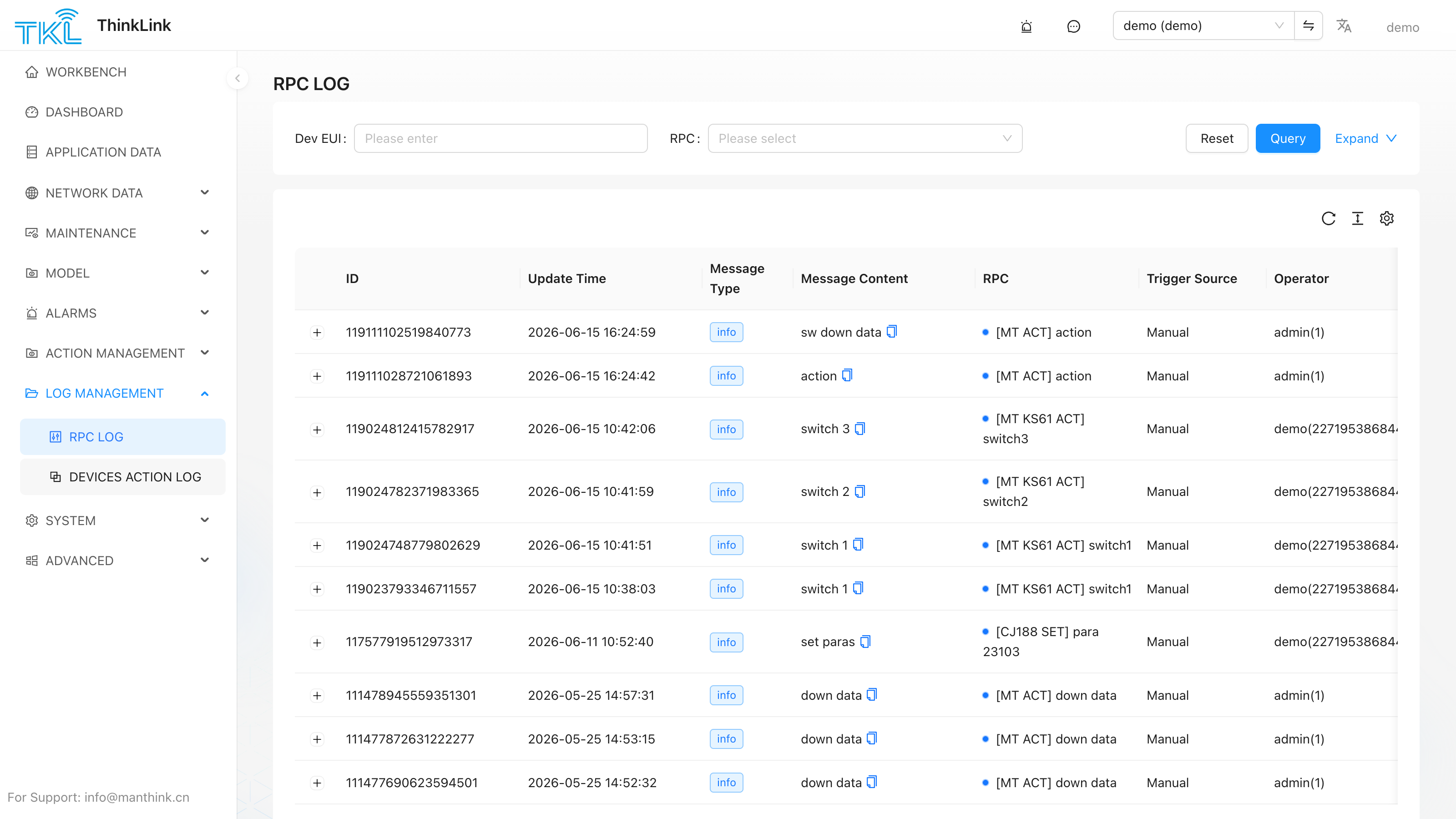
Column Reference
| Column | Meaning |
|---|---|
| ID | Unique record ID |
| Update Time | Timestamp of the last state change for this record |
| Message Type | Tag on the log entry (e.g. info) |
| Message Content | Summary of the RPC command — name, key-value pairs, action |
| RPC | The RPC name and the device EUI it was sent to, e.g. [CT30eLF-A0 ACT] 21308 |
| Trigger Source | How the command was initiated: Manual (operator clicked "Execute" in the UI), Scheduled (a Device Action / Scheduled Task fired it), or API |
| Operator | The user account that issued the command (for manually-triggered RPCs) |
Filtering
Use the Dev EUI and RPC dropdowns at the top to narrow results to a specific device or a specific RPC type, then click Query. Click Reset to clear filters.
Expanded View
Click any row to expand it. The expanded panel shows two code editors side by side:
- RPC Input Params — the exact payload that was sent down to the device (what ThinkLink sent)
- All Data — the full uplink data record the device returned after executing the RPC, including the raw
input_value,action,_eui, timestamps, and all decoded sensor fields
This side-by-side view makes it straightforward to compare what was commanded against what was reported back.
Related Pages
- How RPC models are defined → RPC Model
- How to trigger RPCs on demand → Device Management
- Batch scheduling of RPC commands → Device Action