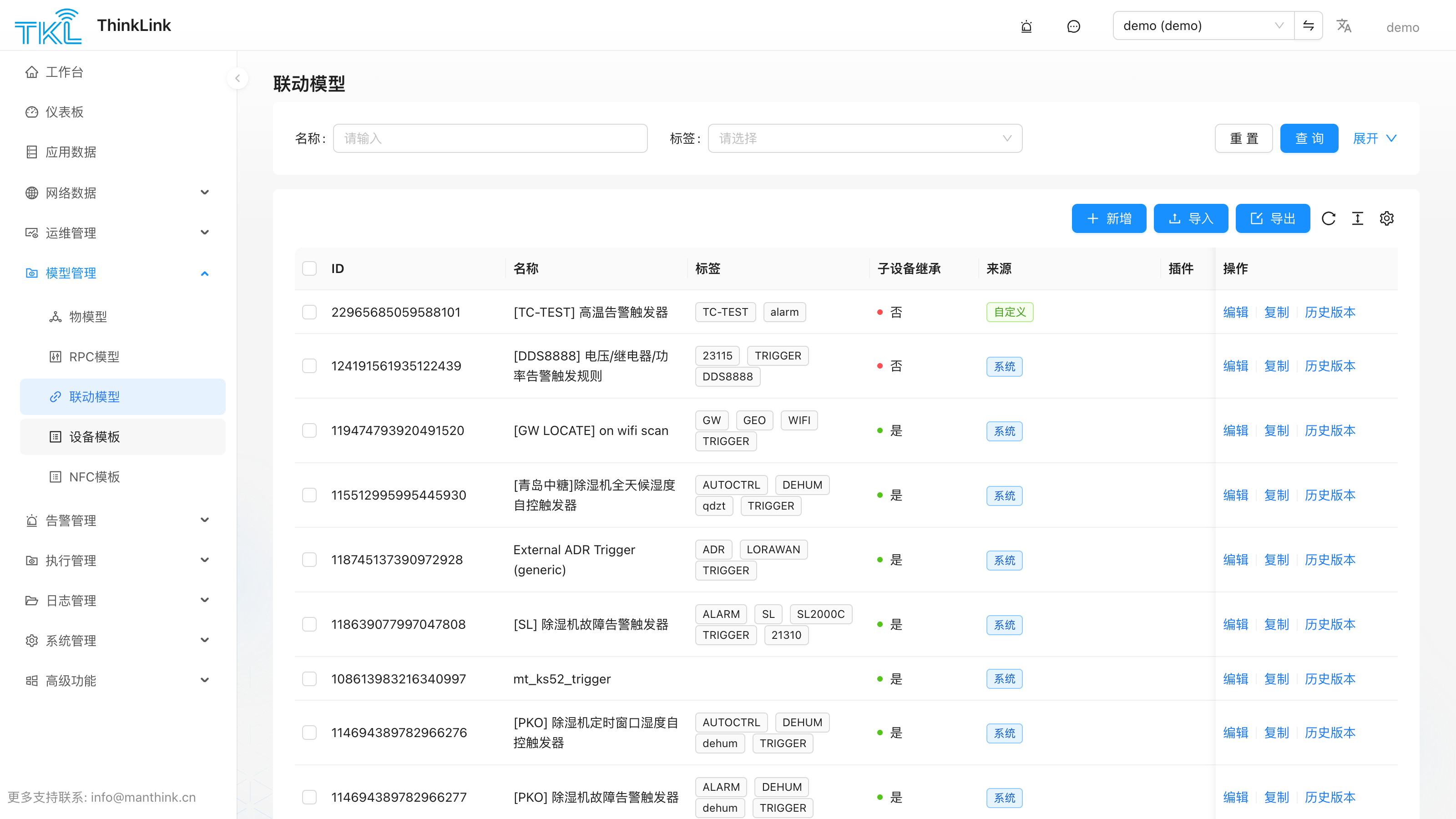
触发模型
触发模型用于在设备数据处理完成后自动调用 RPC 指令,实现设备间的自动化控制。例如:当检测到环境温度变化时,自动调整空调的目标设定温度。
触发逻辑通过 JavaScript 脚本实现。设备挂载触发模型后,每次收到新的上行数据都会执行脚本。脚本可以调用任意已注册设备(包括自身)的 RPC 指令,完成远程控制或参数更新。
1.1. 脚本运行环境
触发脚本以 裸函数体 形式编写:你写的代码会被平台包进 function triggerRunner() { ... } 然后立即调用,所以无需再写 function trigger_script(...) {...} 包装。脚本最终通过 return 把结果交回平台。
// 脚本编辑器里直接写这一段——不需要再包一层函数
let tdata = device?.telemetry_data?.[thingModelId];
if (!tdata) return null;

return {
  actions: [
    { method: "alarm", params: { _eui: device.eui, action: "new", title: "...", level: "high" } }
  ]
};
沙盒运行环境与限制
触发脚本在 vm2 沙盒中执行,与 Node.js 主进程完全隔离。
运行限制
| 限制项 | 值 | 说明 |
|---|---|---|
| 执行超时 | 1000 ms | 脚本执行超过 1 秒立即中断,本次触发跳过。 |
eval | ❌ 禁用 | 不能动态执行字符串代码。 |
| WebAssembly | ❌ 禁用 | 不能加载或执行 .wasm 模块。 |
async / await | ❌ 不支持 | 触发脚本是同步运行的,不支持异步操作。 |
require / import | ❌ 不支持 | 不能引入任何外部模块。 |
process、path、fs 等 Node 全局对象 | ❌ 不可用 | 沙盒不注入这些对象,调用会抛出 ReferenceError。 |
setTimeout / setInterval | ❌ 不可用 | 沙盒中无定时器全局函数;延迟执行请通过返回值的 delayms 字段实现。 |
console | ❌ 不可用 | 无法使用 console.log;调试请使用触发模型日志功能。 |
Buffer 的可用方法限制
沙盒注入的 Buffer 是受限版本(SafeBuffer),仅开放以下静态方法:alloc、from、isBuffer、byteLength、compare、concat。Buffer.allocUnsafe() 和 Buffer.allocUnsafeSlow() 被明确屏蔽。Buffer 实例的读写方法(readUInt8、writeUInt16LE 等)正常可用。
沙盒可用全局变量
以下变量在脚本中可直接使用,无需 import:
| 变量 | 类型 | 说明 |
|---|---|---|
device | Object | 当前设备对象(vm.freeze,只读)。 |
thingModelId | String | 绑定到该设备的物模型 ID。 |
org_params | Object | 组织级"环境变量",由 系统管理 → 服务器配置 → 组织参数 维护。详见服务器配置 §1.6。 |
env | Object | 触发模型所挂载插件声明的环境变量(高级功能,大多数脚本不需要用到)。 |
plugins | Object | 触发模型挂载的插件实例集合(高级功能,大多数脚本不需要用到)。 |
Buffer | Class | Node Buffer 的安全包装(SafeBuffer),用于二进制处理(见上方说明)。 |
BufferTKL / PayloadParser / MSparser / Utils / TriggerHelper / RPCHelper | Class | tklHelper 暴露的全部类(vm.freeze,只读),详见 tklHelper。 |
注意:
device及 tklHelper 各类均以vm.freeze冻结方式注入,脚本中对其属性赋值不会生效。触发脚本唯一的输出通道是返回值(actions数组),平台据此派发 RPC 调用。
device 对象属性参考:
| 属性 | 类型 | 说明 |
|---|---|---|
eui | string | 设备 EUI(16位十六进制字符串,全局唯一)。 |
name | string | 设备名称。 |
device_type | string | 设备类型:"NORMAL" / "SUB_DEVICE" / "VIRTUAL"。 |
data_from | string | 数据来源:"LoRaWAN" 或 "OTHER"。 |
parent | string | null | 父设备 EUI(子设备类型时有值)。 |
online | boolean | 设备当前是否在线。 |
active_time | string | 最近一次上行时间(ISO 8601)。 |
shared_attrs | object | 平台与设备双向同步的共享属性,如设备配置参数、固件信息等。 |
server_attrs | object | 仅存储在平台侧的服务端属性(设备不可读),常用于存储告警阈值、联动 EUI、通知组等。 |
mac_attrs | object | LoRaWAN MAC 层属性(频段、ADR 等)。 |
telemetry_data | object | 各物模型最新遥测快照,以 thingModelId 为键。如:device.telemetry_data[thingModelId]。 |
thing_model | string[] | 已挂载的物模型 ID 数组。 |
rpc | string[] | 已挂载的 RPC 模型 ID 数组。 |
tags | string[] | 设备标签数组。 |
tenant_code | string | 租户标识符。 |
heart_period | number | 心跳检测周期(秒)。 |
文档其余示例为简洁起见仍写作
function trigger_script(device, thingModelId) { ... }——这是说明可用变量的示意写法,实际脚本里只填函数体即可。
1.2. 返回值结构
触发脚本必须返回 null(不执行任何操作)或以下结构的对象:
| 字段 | 类型 | 说明 |
|---|---|---|
delayms | Number | 执行 actions 前的延迟时间(毫秒)。 |
abort_previous_timer | Boolean | 若为 true,取消之前已存在的延迟任务,以本次任务替代。 |
should_dispatch | Boolean | 若为 true,即使本次数据与上次相同,也强制执行一次 actions 下发。默认 false(数据未变化时跳过)。 |
actions | Array | 按数组顺序依次执行的一个或多个 RPC 调用。 |
actions 数组中每项的字段:
| 字段 | 类型 | 说明 |
|---|---|---|
_eui | String | 目标设备的 EUI,可以是当前设备或其他已注册设备。注意:_eui 写在 params 里,不是 action 的顶层字段。 |
method | String | RPC 模型中定义的 Method 名称。 |
methodId | String | RPC 模型的 ID,与 method 二选一。当同时存在时优先使用 methodId,调用 dispatchRpcById 直接按 ID 派发;用于跨 method 重名场景。 |
params | Object | null | 传递给 RPC 脚本的输入参数(必须包含 _eui)。若 RPC 无需其它参数,仅留 _eui 即可。 |
1.3. 返回值示例
基础控制示例
function trigger_script(device, thingModelId) {
    let temperature = device?.telemetry_data?.[thingModelId]?.TP;
    if (temperature === undefined) { return null; }

    if (temperature > 25) {
        return {
            delayms: 10000,
            abort_previous_timer: true,
            should_dispatch: true,
            actions: [{
                method: "mt_data_transparent",
                params: {
                    _eui: device.eui,
                    payload: "FE 05 00 00 FF 00 98 35"
                }
            }]
        };
    }
    return null;
}
告警触发示例(使用 ALARM RPC)
function trigger_script(device, thingModelId) {
    const ACTION = { no: "no", new: "new", clear: "clear" };
    const LEVEL  = { low: "low", mid: "mid", high: "high", urgent: "urgent" };

    let tdata  = device?.telemetry_data?.[thingModelId];
    if (tdata === undefined) { return null; }

    let name   = "overheat_alarm";
    let title  = "过热告警: [" + device.name + "]";
    let level  = LEVEL.high;
    let desc   = "";
    let action = ACTION.clear;
    // group 从 server_attrs 读取;对应 ALARM RPC params 中的 `notify` 字段
    let group  = device?.server_attrs?.group ?? [];

    if (tdata.temperature !== undefined && tdata.temperature >= device.server_attrs?.alarm_temp) {
        desc   = "[" + device.name + "] 温度超过阈值";
        action = ACTION.new;
    }

    return {
        delayms: 0,
        abort_previous_timer: true,
        actions: [{
            method: "alarm",
            params: {
                _eui:   device.eui,
                action: action,
                name:   name,
                title:  title,
                level:  level,
                desc:   desc,
                group:  group  // 在 ALARM RPC 脚本中以 `notify` 接收 — 详见 RPCModel §1.6
            }
        }]
    };
}提示:请确保目标设备已正确注册至 TKL 平台,并具备对应 RPC 模型及权限,否则指令将无法下发。
1.4. 使用 TriggerHelper
TriggerHelper 是 tklHelper 提供的基类,用于简化告警类触发脚本的开发。只需继承该类并重写 _alarmProcess 方法,无需手动构造完整的返回对象。构造函数还会自动从 device.server_attrs.notify 读取通知组列表并存入 this.group,无需在脚本中手动提取。
构造函数参数
| 参数 | 类型 | 说明 |
|---|---|---|
device | Object | 当前设备对象。 |
thingModelId | String | 物模型 ID,用于获取遥测数据。 |
alarmEvent | String | 告警事件名称(唯一标识)。默认为 device.name。 |
title | String | 告警标题,自动添加 [device.name] : 前缀。 |
desc | String | 告警描述信息。 |
level | String | 告警等级:"low"、"mid"、"high" 或 "urgent"。 |
action | String | 初始动作:"new"、"clear" 或 "no"。 |
方法:alarm(info)
调用 _alarmProcess(info)(子类重写),然后构造并返回标准触发返回对象。若 action 为 "no" 或 _alarmProcess 返回 false,则返回 null。
示例
function trigger_script(device, thingModelId) {
    class MyAlarm extends TriggerHelper {
        _alarmProcess(info) {
            let tdata = this.tdata;
            if (tdata === undefined) { return false; }

            if (tdata.depth !== undefined && tdata.depth <= device.server_attrs?.alarm_depth) {
                this.desc   = "[" + device.name + "] 深度低于阈值,请处理";
                this.action = "new";
            } else {
                this.action = "clear";
            }
        }
    }

    let helper = new MyAlarm({
        device:       device,
        thingModelId: thingModelId,
        alarmEvent:   "depth_alarm",
        title:        "深度告警",
        level:        "high"
    });

    return helper.alarm();
}
1.5. 挂载触发模型
创建完成的触发模型需要绑定到具体设备才能生效。
操作路径:运维管理 → 设备管理 → 选择目标设备 → 详情 → 触发
操作步骤:
- 在设备详情页点击触发标签。
- 点击新增,从下拉列表中选择已创建的触发模型。
- 可重复添加多个不同的触发模型到同一设备。
✅ 支持一个设备挂载多个触发模型,适用于多条件自动化场景。
历史版本与还原
每次保存触发模型,平台都会记录一个版本快照。在编辑器中点击历史版本即可浏览早期版本。每条记录提供:
- 详情 —— 查看该快照内容(并可与相邻版本对比)。
- 还原 —— 将当前值回滚到该快照。还原会生成一个新的版本记录(因此历史不会丢失),并将列表刷新到第一页;确认弹窗会提示「还原会产生一个新版本」。
RPC 模型、物模型、触发模型与转发器脚本编辑器均提供相同的「历史版本 / 还原」操作。