1. Role Management
menu Path: SYSTEM → ROLE
thinkLink(TKL) provides the default admin the role, which has the highest operation permissions for all functions in the current organization and cannot be deleted.
Users can add custom roles in the following ways:
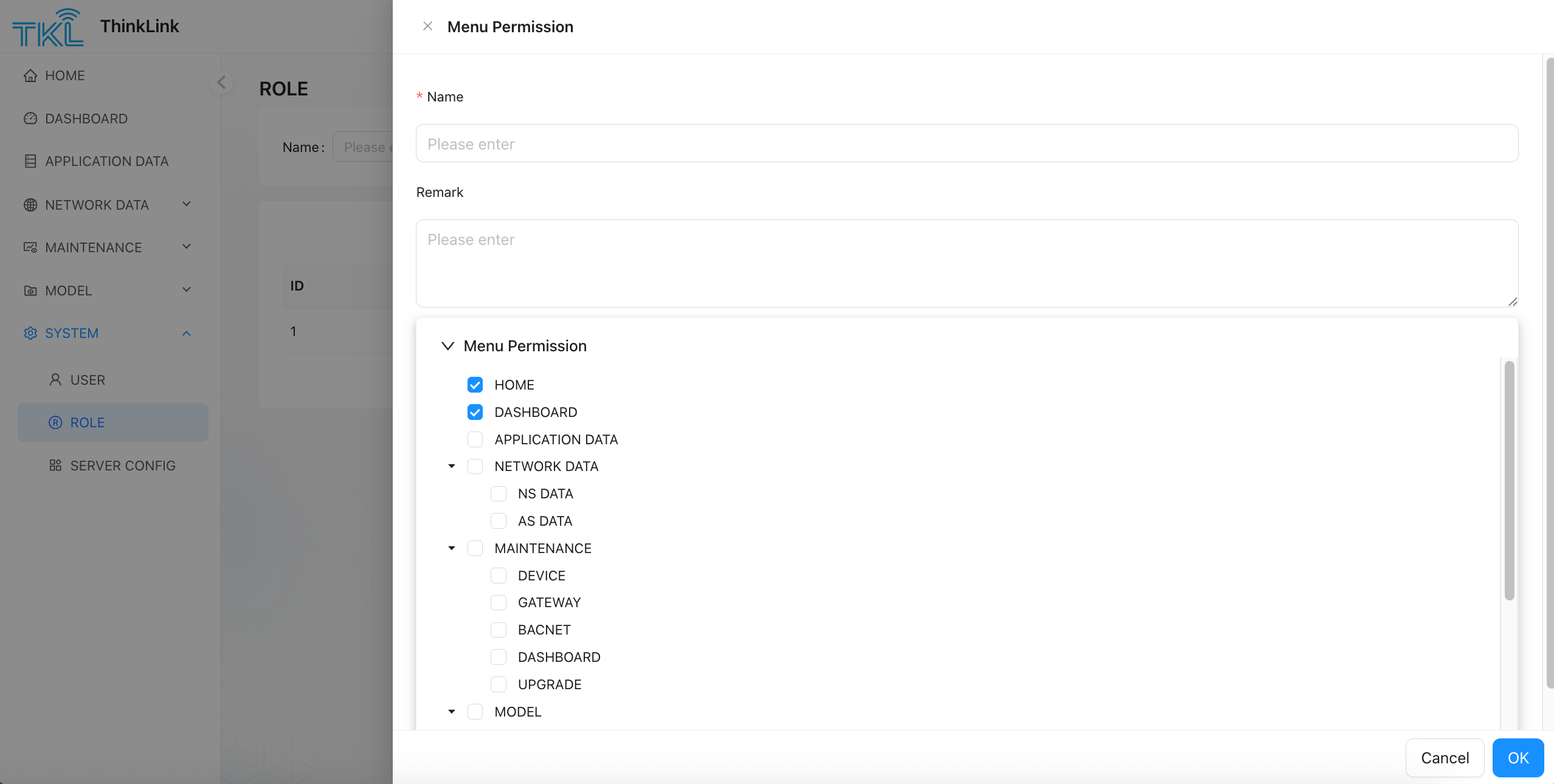
- Click "Add" button to pop up the new role configuration window.
- Enter a role name and optionally a description.
- In the permission configuration area, assign specific access permissions to the role by checking the corresponding menu item.
- Click "OK" to complete role creation.
After the role is created, the role can be assigned to the specified user in user management to achieve fine-grained permission control.
[Hint] It is recommended to reasonably divide role permissions according to actual business needs to avoid excessive concentration or insufficient permissions.