1. Gateway Management
ThinkLink (TKL) supports multiple gateways, including ManThink-owned gateways and third-party gateways conforming to standard protocols, enabling flexible network deployment and centralized management.
1.1. Supported Gateway Types
TKL supports the following two types of gateway access:
- ManThink Gateway: Adopt
mqtt_mtprotocol to achieve a secure connection through the ManThink proprietary communication mechanism. - Third-Party Gatewaysupport Standards GWMP (based on UDP protocol) the gateway device ensures wide compatibility.
1.2. Gateway Information Required
when you add a gateway, the following fields are required to uniquely identify and correctly configure the Gateway:
| field | description |
|---|---|
gwEui | the EUI code of the Gateway, which is a unique identifier in the system and is usually found on the gateway device label. |
type | gateway type, select from the drop-down menu: GWMP or ManThink . |
pincode | the check code of the ManThink Gateway, which is only added afterManThink type Gateway is required for authentication. |
[Note]]:
pincodeis the security verification credential of the ManThink gateway, please contact the sales staff to obtain the validity of the corresponding Gatewaypincode.
1.3. New Gateway
with the New Gateway feature, you can add a single gateway device to the current organization for unified management.
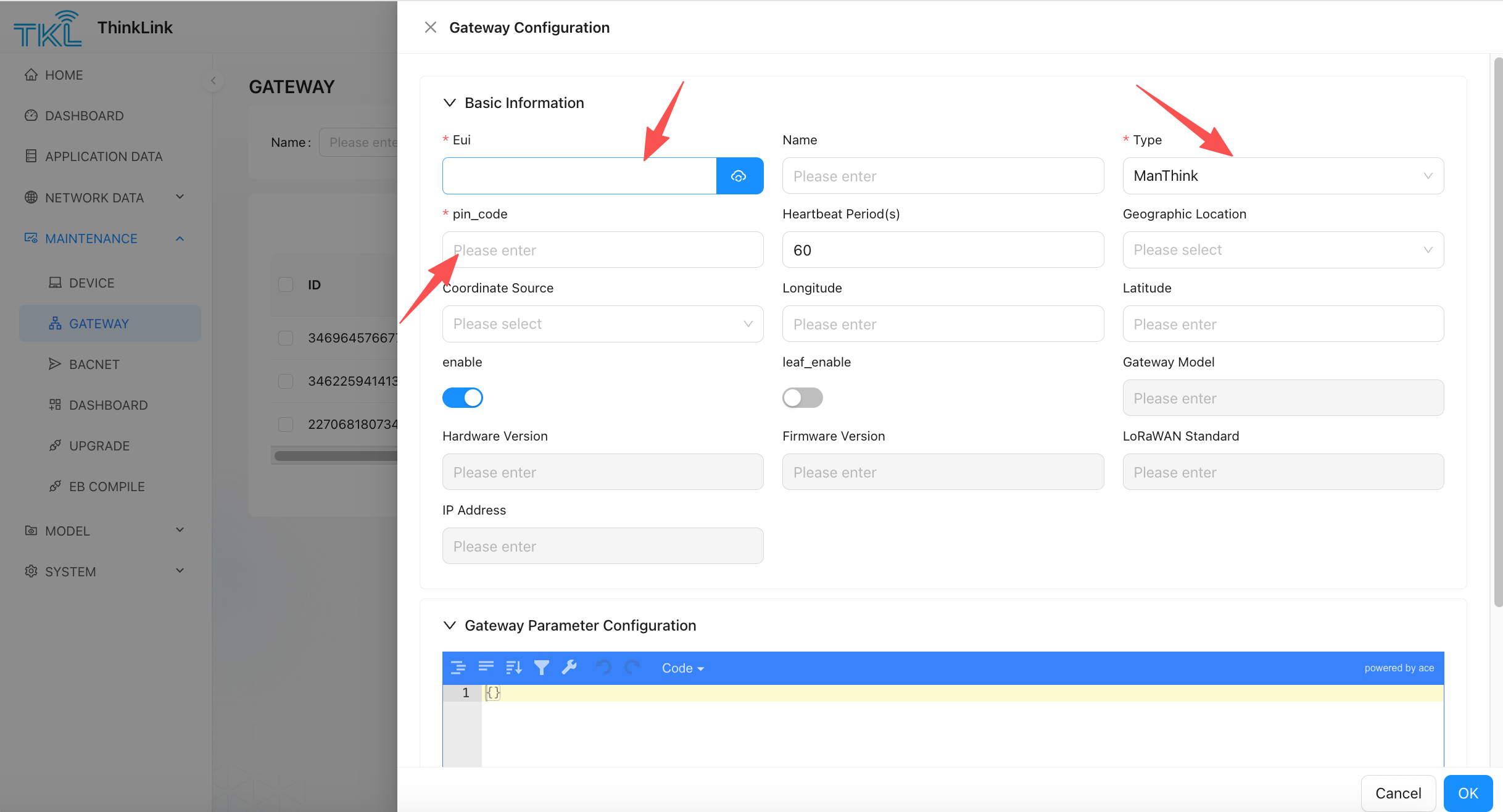
- Enter TKL platform, click [new Gateway] button.
- Fill in the basic gateway information in the pop-up form:
- select Gateway Type:
- if used ManThink Gateway, please
typedrop-down menu to selectManThink. - If used third-party gateways that support the GWMP protocol, please select
GWMP.
- if used ManThink Gateway, please
- select Gateway Type:
- Fill in
gwEuiAnd correspondingpincode(OnlyManThinktype required). - For selection
GWMPtype of third-party gateway, make sure that protocol configuration points to the address and port of the currently deployed ThinkLink server. - Please confirm that the gateway device is in ** online Status** so that TKL can communicate with it and complete authentication.
[Important Note]: when adding a ManThink gateway, TKL will establish real-time communication with the gateway to verify
pincodeand equipment legality. If the gateway is offline, the ADD operation will fail.
After the gateway is added, the gateway appears in the Gateway list. You can perform status monitoring, parameter configuration, and data management on the platform.