BMS SOLUTION

Put every floor and building system on one operational view that can reason.

Aggregate status by building, floor, and subsystem; locate conditions in Cockpit, then enter device Skills and controlled actions through Cardlist.

  • BUILDING CONTEXT
  • DEVICE OPERATIONS
  • AI DECISIONS
Anonymized BMS demo cockpit with a 2.5D building, floor plan, device points, KPIs, and an alarm stream
COCKPIT2.5D building cockpitAnonymized demo · BMS Cockpit spatial posture
01
BUILDING OPERATIONS

AI-native building operations

Put sites, buildings, floors, subsystems, and devices in one asset context so environment, energy, alarms, and control evidence can inform one another on a single dashboard.

TWO DASHBOARD MODES

One asset language, two operational views

Cockpit frames the estate and its spatial posture. Cardlist supports item-by-item inspection, Skill analysis, and RPC actions that remain subject to human confirmation.

COCKPIT

2.5D building cockpit

Layer device points, KPIs, and an alarm stream over a 2.5D building and floor plan, then move from building to floor to subsystem.
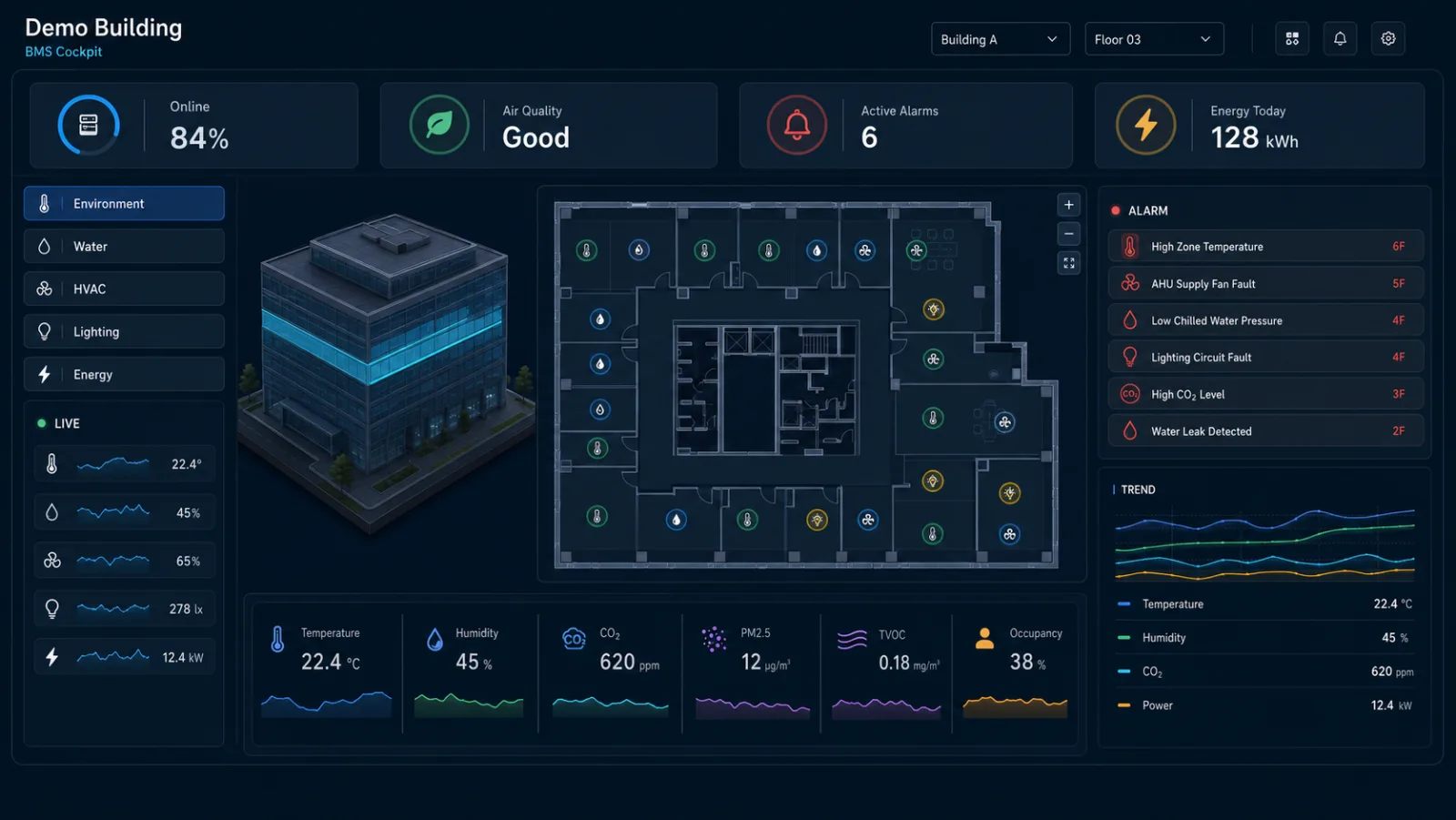
Anonymized BMS demo cockpit with a 2.5D building, floor plan, device points, KPIs, and an alarm stream
COCKPITAnonymized demo · BMS Cockpit spatial posture
  1. 01 · SPATIAL CONTEXT

    Locate systems and devices on the 2.5D floor plan.

  2. 02 · OPERATING SIGNALS

    Read environment, energy, and equipment KPIs together.

  3. 03 · ALARM TRACE

    Move from a building alert to the affected floor and subsystem.

CARDLIST

Device state and inspection list

Filter devices by building, floor, and subsystem; read all four data states; then open a device Skill or prepare an RPC that requires operator confirmation.
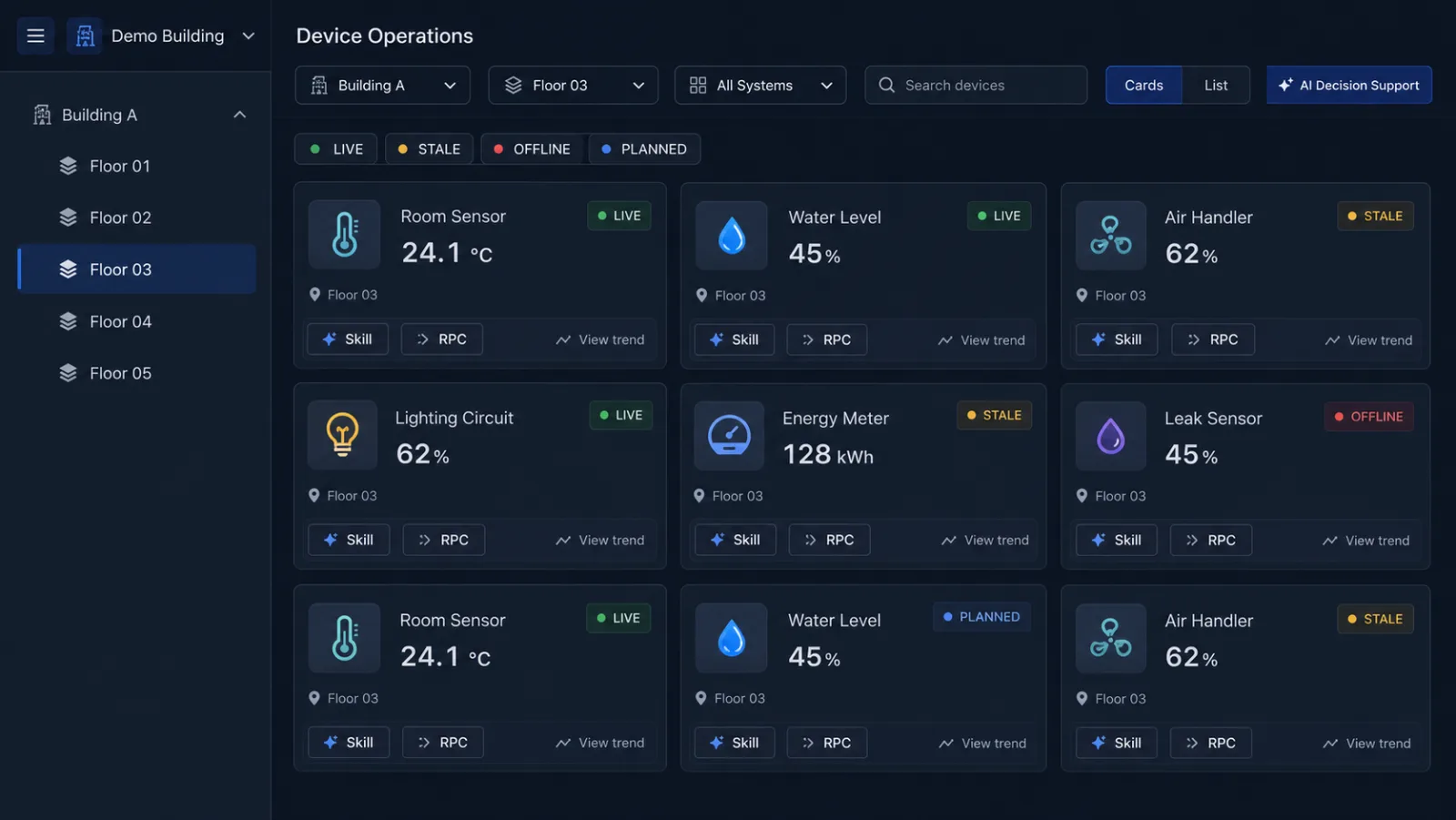
Anonymized BMS device list with building and floor filters, four states, and Skill and RPC entries
CARDLISTAnonymized demo · BMS Cardlist operations view
  1. 01 · SCOPE FILTERS

    Filter by building, floor, subsystem, and equipment type.

  2. 02 · FOUR DATA STATES

    Separate LIVE, STALE, OFFLINE, and PLANNED equipment.

  3. 03 · SKILL + RPC

    Open a device Skill or prepare a human-confirmed RPC.

ASSET AGGREGATION

Aggregate the building before judging a device

Location relations organize scattered points into floor and subsystem metrics. Operators can see the whole estate, then trace every signal back to its evidence devices.

ACCESS

Online and access ratio

Compare online, connected, and unreachable distributions by building, floor, and subsystem.

ENV

Environment

Aggregate temperature, humidity, and air quality while retaining spatial and device traceability.

ALARM

Alarm posture

Summarize active alarms and trends by priority, location, and device type.

ENERGY

Energy and trends

Relate meters, loads, and history to surface changes that need review.

LIVE

Valid data arrived in the current interval and can contribute to live aggregates.

STALE

The latest value remains visible, but its freshness is outside the expected interval.

OFFLINE

The device is unreachable and needs network, power, and spatial context for diagnosis.

PLANNED

The device is part of the asset structure and awaits installation, connection, or commissioning.

DEVICE SKILLS

Reusable analysis and action semantics for every device class

Each Skill reads model fields, location relations, and history to explain its result. Any control path keeps a human confirmation step.

Temperature and humidity sensor

Spatial environment assessment

Relate the current value, trend, and peer points on the same floor to explain local changes.

  • Inspect the trend
  • Compare same-floor points
Sewage-well level device

Level and drainage analysis

Connect level changes with pump and valve action records to form a field-check recommendation.

  • Review the level trend
  • Check pump and valve states
Lighting and valves

Circuit state and governed control

Review circuits, valve position, and spatial demand. Control recommendations execute only after operator confirmation.

  • Read circuit state
  • Prepare a pending RPC
Meters and leak devices

Energy and leak evidence

Relate load trends, area consumption, and leak state to prioritize anomalies that need review.

  • Compare energy trends
  • Locate the affected area
Door and air-quality devices

Occupancy and air context

Combine door state, air quality, and ventilation context to explain spatial changes.

  • Relate door state
  • Inspect the air-quality trend
AI DECISION SUPPORT

Turn point alarms into evidenced response options

AI combines devices, locations, trends, and linked states into reviewable recommendations. It never bypasses the operator to control the field.
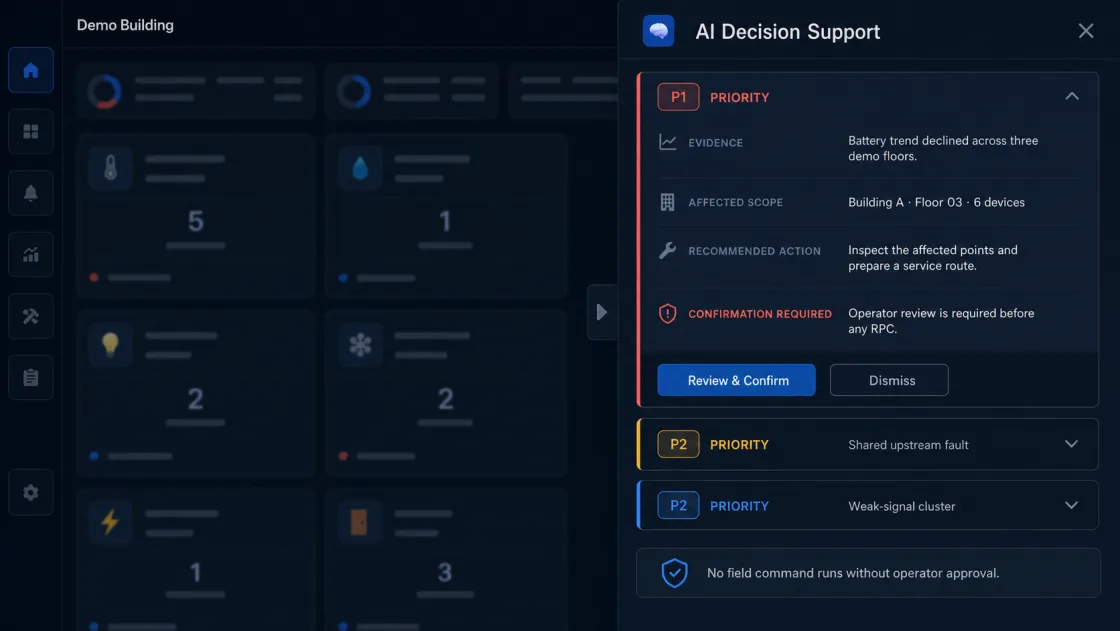
Anonymized BMS AI decision panel showing evidence, affected scope, a suggested action, and human confirmation
AI DECISION SUPPORTAnonymized demo · AI decision evidence and confirmation
P1

Correlate rising water level with inactive pumps and valves

  1. 01DETECT

    The water level keeps rising while the drain pump or valve has no matching action record.

  2. 02CONTEXT

    Wastewater subsystem → level device → pumps and valves

  3. 03AI ADVICE

    Recommend an on-site check and prepare a controlled pump or valve RPC.

  4. 04HUMAN CHECK

    The operator verifies safety conditions, impact scope, and target equipment.

  5. 05EXECUTE

    After confirmation, create the control task or field work order and retain the operation record.

ONE SHARED PLATFORM

Carry building semantics from connection to analysis and action

From LoRaWAN and EdgeBus connectivity to device models, floor assets, Skills, and controlled actions, every step retains building and subsystem context.

  1. ACCESSLoRaWAN and EdgeBus access
  2. MODELJS thing models and device templates
  3. ASSETTKL asset aggregation
  4. ACTIONAlarms, Triggers, and RPC
  5. DASHBOARDCockpit, Cardlist, and AI decision support

Start with one building, one asset hierarchy, and the systems that matter most.

Connect environmental, energy, HVAC, safety, and utility devices, then expand from visibility into Skills and human-confirmed operations.